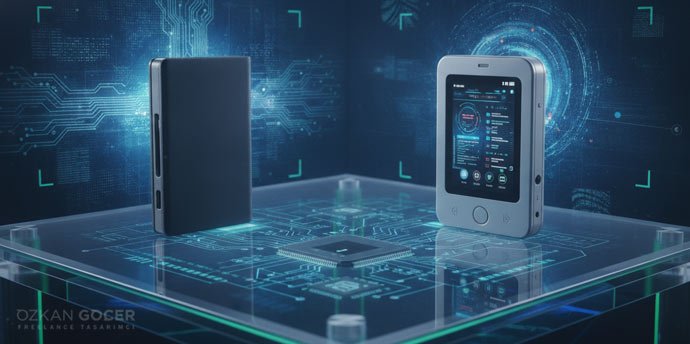
Both brands make hardware wallets that manage private keys separately from your phone or computer. Your assets remain on the blockchain. The companion app displays balances and prepares a transaction; the hardware signs it after your approval. Downloading a wallet app therefore does not, by itself, give you the protection of a hardware wallet.
How this comparison was prepared: manufacturer specifications, product pages and published security disclosures checked on September 14, 2026. The criteria are phone compatibility, transaction verification, recovery, asset support and cost. This is a document-based comparison, without claims of laboratory testing or extended hands-on use.
Models and prices · Security differences · Backup and recovery · Choose for your setup
Ledger vs Trezor: current models, prices and phone support
Phone support is a model-specific feature. The Safe 7 can sign transfers from an iPhone; the Safe 3 and Safe 5 have limited iOS functionality. The Nano S Plus is also unsuitable for signing through an iPhone. A mobile app that shows your balance is not proof that the device can authorize a payment through that phone.
Scroll sideways to read every column. Keyboard: focus the table and use the arrow keys.
| Model | Reference price | Display and connection | Signing from a phone |
|---|---|---|---|
| Ledger Nano S Plus | US$59 | 128 × 64 OLED, buttons, USB-C | Android: yes. iPhone: no. |
| Trezor Safe 3 | US$59 | 0.96-inch monochrome display, buttons, USB-C | Android: yes. iPhone: no signing. |
| Ledger Nano Gen5 | US$179 | 2.8-inch E Ink touchscreen, USB-C, Bluetooth, NFC | Android and iPhone: yes. |
| Trezor Safe 5 | US$129 | 1.54-inch color touchscreen, USB-C | Android: yes. iPhone: no signing. |
| Ledger Flex | US$249 | 2.84-inch E Ink touchscreen, USB-C, Bluetooth, NFC | Android and iPhone: yes. |
| Trezor Safe 7 | US$249 | 2.5-inch color touchscreen, USB-C, Bluetooth | Android and iPhone: yes. |
Price references: Nano S Plus, Ledger’s model comparison, Flex, Safe 3, Safe 5 and Safe 7. These are published USD reference prices for standard models, not a checkout quote for your country. Color, bundle, promotions, currency conversion, shipping and applicable import charges can change the total.
Ledger Nano S Plus vs Trezor Safe 3
Both are wired, button-operated entry models. At the same reference price, supported assets and recovery preferences matter more than a nominal price advantage. Consider the Nano S Plus if you prefer Ledger’s ecosystem and BIP39 recovery; consider the Safe 3 if Trezor Suite, open-source firmware and the SLIP39 option suit your setup. Neither is the right purchase for someone whose only signing device will be an iPhone.
Considering the Nano X against the Safe 3? Ledger’s comparison gives the Nano X a US$99 reference price. It adds Bluetooth and iPhone support in a button-operated device, unlike the wired Safe 3. If you do not need a touchscreen, the Gen5 is not your only iPhone-compatible Ledger option.
Ledger Nano Gen5 vs Trezor Safe 5
The Safe 5 costs US$50 less using the references above. It is a candidate for desktop or Android users who want a color touchscreen. The Gen5 adds Bluetooth iPhone connectivity and an included Recovery Key card. If sending from an iPhone is a requirement, the less expensive Safe 5 does not satisfy it; the relevant Trezor alternative is the Safe 7.
Ledger Flex vs Trezor Safe 7
At a US$249 reference price, both provide touchscreens and wireless phone connectivity. The Flex offers Ledger’s E Ink display and NFC recovery-card approach. The Safe 7 combines a color display, open-source device software and two Secure Elements. This price-matched comparison is more useful than comparing the Safe 7 with a much cheaper Nano S Plus and declaring a brand-wide winner.
Trezor’s compatibility table lists balance checking, buying and receiving for the Safe 3 and Safe 5 on iOS, without sending. Check the exact action you need, not just whether an app is listed in the App Store.
Which is safer: Ledger or Trezor?
There is no defensible universal winner across all models and threats. Physical protection, inspectable software and understandable transaction approval address different problems. A hardware wallet cannot make an exposed backup secret again or undo a malicious transaction you authorized.
A Secure Element does not mean identical architecture
The Nano S Plus specification identifies an ST33K1M5 chip with CC EAL6+ certification. The Safe 3 and Safe 5 also use an EAL6+ certified Secure Element; the Safe 7 combines OPTIGA Trust M with TROPIC01. Trezor’s arrangement for protecting PINs and wallet backups is different from Ledger’s approach of running its operating system and key operations in a secure chip. Trezor documents the architecture by model.
An EAL rating applies to the evaluated component and its defined scope. It does not certify every companion app, connected DeFi service or action a user might approve. Matching certification labels are therefore insufficient evidence that two complete wallets have equal security.
Open source: distinguish firmware, apps and chips
Trezor’s device software is open source, allowing independent inspection and rebuilding. That does not mean every detail of every chip has the same open license. Ledger’s apps, SDK and other components are open source or available for inspection, while its operating system is not fully open. Ledger lists the scope of its available code.
Access to code helps scrutiny; it does not ensure that every defect has been found or every fix installed. Transaction readability remains a separate concern. Verify the address, amount, network and permission on the device. If you cannot understand what a contract authorization allows, do not approve it simply because a confirmation screen appeared.
Security history: what was actually affected?
“Has Ledger been hacked?” and “Has Trezor been hacked?” need more precise answers than a yes/no label. These selected incidents illustrate different failure modes; they are not an exhaustive security history.
- Ledger customer data, 2020: contact and order information was exposed. That was not evidence of private keys being extracted from devices, but it increased the opportunity for targeted phishing. Ledger’s updated disclosure.
- Ledger Connect Kit, December 2023: a malicious software package affected dApps using the connection library and induced users to sign asset-draining transactions. An ecosystem software compromise is different from breaking a secure chip. Security incident report.
- Global-e notice, January 2026: unauthorized access affected customer data at the provider used for some Ledger.com purchases. Ledger says the incident concerned Global-e systems and that the provider had no access to recovery phrases. Official incident notice.
- Trezor One and Model T, 2020 physical research: Kraken published a voltage-glitching method for extracting encrypted seeds with physical possession of these devices. It is not a finding about every current Safe-series model. Kraken Security Labs research.
- TROPIC01 research, 2026: Ledger Donjon found a laser fault-injection vulnerability in a chip examined separately from the Safe 7. Trezor says the remaining device protection layers prevent that finding alone from exposing the wallet backup. That is a scoped manufacturer assessment, not proof that the whole Safe 7 was compromised or that the chip vulnerability is irrelevant. Trezor’s technical explanation.
Follow product updates and incident disclosures, and treat a caller asking for recovery words as a threat regardless of which brand they claim to represent. Our phishing guide explains the common approaches and precautions.
Recovery: BIP39, SLIP39, Recovery Key and Recover
Before choosing a device, establish which backup you would use if it failed and which replacement could restore it. “Both use recovery words” does not establish compatibility, particularly for Trezor’s 20-word format.
Scroll sideways to read every column. Keyboard: focus the table and use the arrow keys.
| Method | What it provides | What to check |
|---|---|---|
| BIP39 phrase | 24 words for a newly initialized Ledger wallet; 12/24-word options supported by Trezor. | Asset, account derivation path and any passphrase must also match when migrating. |
| Trezor SLIP39 | 20-word backup in current Safe setups, with optional multi-share recovery. | A different format from BIP39. Verify that the replacement supports SLIP39. |
| Ledger Recovery Key | An offline, PIN-protected NFC card for compatible touchscreen Ledger devices. | Protect the card and its PIN. This is not an equivalent option for the Nano S Plus. |
| Ledger Recover | Identity-based recovery using encrypted fragments held by separate providers. | An optional subscription, subject to country, document and device requirements. |
See Ledger’s recovery-sheet explanation and Trezor’s 12/20/24-word documentation. Safe 3 setups from before June 2024 may use a different default. With SLIP39 multi-share recovery, you must retain enough shares to meet the threshold. The manufacturer cannot supply missing shares. Cutting a word list into pieces yourself is not the same scheme.
The Recovery Key card and Ledger Recover service are separate products. Recover requires explicit approval on the device; installing a firmware update does not enroll you. Eligibility depends on the country that issued your supported identity document. For example, Türkiye appears with passport eligibility, not the same document options listed for every other country.
When changing brands, identify the existing backup format first. Understand what a seed phrase backs up, retain any separate passphrase, and never paste either into an online converter. If a different format requires a new wallet, transfer over the correct network and start with a small test. Restoring one backup on two devices does not create two independent wallets.
Asset support, companion apps and privacy
Ledger’s companion application is now called Ledger Wallet; older guides call it Ledger Live. Trezor uses Trezor Suite. Device support, portfolio display and the ability to transact on a particular network are separate capabilities. Our best cryptocurrency apps comparison distinguishes exchange apps, software wallets and hardware-wallet interfaces.
Do not choose solely on a headline coin count. Use Ledger’s asset directory and Trezor’s model filters to check the asset, network and required app together. Native management and support through an external interface are different experiences. For example, Trezor’s XRP page lists native Suite support for the Safe 3 and Safe 5. A limitation of the older Model One is not a valid reason to rule out the entire brand.
Privacy also needs a specific scope. Desktop Trezor Suite lets you enable Tor in settings. That does not remove on-chain records or the identity checks of a purchase provider. As Bitcoin’s privacy guidance explains, its transaction history is public. A hardware brand alone cannot make that history anonymous.
What costs remain after buying the device?
The device price, network fee, exchange withdrawal fee and an in-app purchase or swap quote are different costs. A withdrawal from an exchange follows that platform’s withdrawal schedule; a transfer from your wallet incurs the relevant network cost. Buying a more expensive device does not automatically make the same blockchain transfer cheaper.
Compare crypto exchange trading commissions before trading. If you use a Turkish platform, the guide to Türkiye’s withdrawal limits and waiting periods covers that specific jurisdiction. Check the platform’s current withdrawal conditions before moving assets, and do not substitute a trading-fee percentage for a network-fee estimate.
Which wallet fits your setup?
- Occasional desktop transfers on a small budget: check the required assets and networks on the Nano S Plus and Safe 3. If both qualify, choose around your backup and software preferences.
- Regular iPhone transfers: compare the Gen5 and Safe 7 for touchscreen use. Balance viewing on a Safe 5 is not full signing compatibility.
- A color touchscreen for desktop or Android: the Safe 5 offers this without the Safe 7 price. Wireless connectivity is a concrete reason to consider moving up a model.
- Recovery through a physical card: examine the Gen5 or Flex with Recovery Key. Include the possibility of losing the card and device together in your storage plan.
- Open-source firmware and split-backup options: examine the Safe series. You remain responsible for storing enough shares and managing the recovery threshold.
Buy through a manufacturer-verified channel; a marketplace seller name alone does not prove authorization. Never accept a prewritten recovery phrase. A device genuineness check is also different from inspecting an intact-looking package. Follow your manufacturer’s instructions to set up the hardware. For a separate software-wallet example, the MetaMask wallet setup guide covers getting started, while the asset security guide covers backup and day-to-day precautions.
Exchange custody leaves you exposed to the platform’s custody risks; self-custody puts responsibility for backup and approvals on you. If you are still choosing where to buy, the cryptocurrency exchange comparison addresses that separate decision. To compare card-based, QR and other alternatives beyond these two brands, see the broader best cold wallets guide.