What SEO Extensions Do Well (and What They Can't)
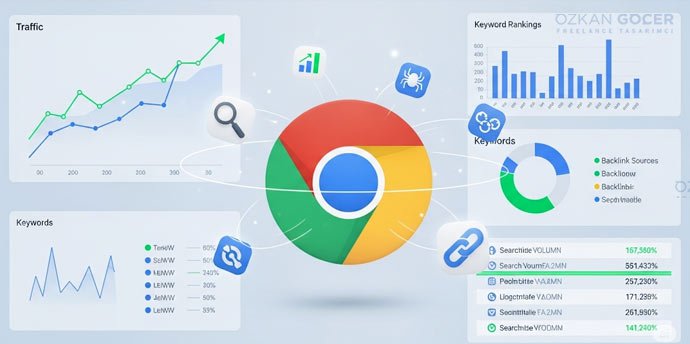
SEO Chrome extensions are small tools that let you see a page's SEO information in the browser with one click. Instead of switching to a separate panel, they show quick data right on the page: the title, meta description, heading tags, structured data, or estimated search volume. The problem they solve is speed: page-level audits in seconds. What they cannot do is site-wide analysis; an extension looks at one page, it does not crawl and report on your whole site.
On-Page Analysis Extensions
The most-used category is on-page analysis, because seeing a page's core SEO elements instantly is central to daily work.
Detailed SEO Extension, SEO Meta in 1 Click
Showing the title, meta description, canonical, heading tags, and schema in one panel, Detailed SEO Extension and SEO Meta in 1 Click are the standout, free options in this category. They are ideal for auditing a page in seconds and catching a missing title or a duplicate canonical. Install extensions only from the official Chrome Web Store. I cover the wider toolset in my best SEO analysis tools article.
Keyword and Search Volume Extensions
The second category shows keyword and volume data right on the search results page.
Keyword Surfer, Keywords Everywhere
Keyword Surfer and Keywords Everywhere display estimated search volume and related terms on the Google results page; because Keyword Surfer lets you set a region, it gives an approximate idea of local volume. Do not treat the estimates as exact; confirming important keywords with Search Console or a dedicated tool is healthiest. I covered the full set of keyword tools in my keyword finding tools article.
Technical SEO and Redirect Extensions
The technical category includes extensions that show a page's redirect chain, HTTP status codes, and core technical signals. Tools like Link Redirect Trace and Redirect Path put a URL's redirects and status code (200, 301, 302, 404) in front of you. They are very practical for catching faulty 302s or redirect chains during migrations and URL changes; I also covered the technical side of rank tracking in my rank tracking article.
Link and Backlink Check Extensions
The backlink category consists of extensions that give a quick look at a page's or domain's link profile. The toolbars of big suites, such as the Ahrefs and Moz bars, overlay authority and link signals onto the page you are browsing. Deep backlink research still needs full tools, but for a quick impression the bars do the job; I compared the full set of backlink tools in my backlink query tools article.
The Minimal Starter Stack (3–4 Extensions) and Safe Install
For a beginner, three to four extensions are more than enough; too many slow your browser and create clutter. The minimal stack I recommend to start is:
- One on-page analyzer: Detailed SEO Extension.
- One keyword and volume tool: Keyword Surfer.
- One technical and redirect checker: Link Redirect Trace.
- One link checker: the toolbar of your preferred suite.
For safe use, install only well-rated, recently updated extensions from the official Chrome Web Store, read the requested permissions, and avoid ones asking for more access than they need. Disabling extensions you are not actively using is good for both security and speed.
When Extensions Aren't Enough
Extensions are excellent for fast, page-level checks, but only up to a point. When you need site-wide audits, tracking hundreds of keywords, stored history, and deep backlink analysis, they cannot replace full SEO suites like Ahrefs and Semrush. The two are not rivals but complementary: you check one page in a second with an extension and monitor the whole site with a full tool. Doing daily quick checks with extensions and leaving strategic analysis to a full tool is the most efficient setup.