Social media is the broad term for online platforms where people create and share content and connect with others. Posting a video, replying to a discussion, joining a community and sharing someone’s idea are everyday examples. Instagram, YouTube, TikTok, Facebook, LinkedIn and X support different habits; social media is not limited to sharing photographs.
A useful way to classify an app is to ask what people do there. Watching a YouTube tutorial, receiving a WhatsApp channel update and asking a forum question are different forms of communication. Each involves content moving between people or communities.
Social Media, Social Networks and Digital Media
Digital media is the wider category. An online newspaper, internet radio stream or downloaded PDF can be digital media. User sharing and connections bring the social element into focus; not every website is a social network.
Social networking emphasizes relationships between people or organizations. Social platform describes the place where those interactions happen. The terms overlap, but the distinction is useful when choosing whether you need a discussion space, a professional network or a place to publish videos.
In a newspaper or television broadcast, publishers usually decide what goes out. On social media, users can publish and reply too. Platform rules, ranking systems and account settings still influence visibility, so users do not control distribution completely. A newspaper’s social account also shows how traditional and social publishing can coexist.
What Are the Main Types of Social Media?
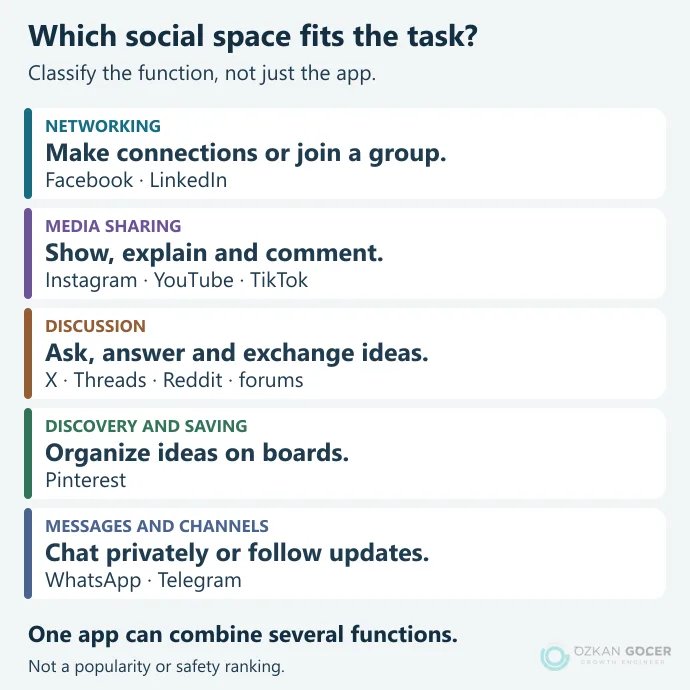
Group platforms by the job they help people do. The boundaries overlap: one service may include video, direct messages, live broadcasts and communities.
Scroll sideways to read every column. Keyboard: focus the table and use the arrow keys.
| Function | Examples | Typical use |
|---|---|---|
| Personal and professional networking | Facebook, LinkedIn | Connections, group discussions and professional updates |
| Images and video | Instagram, YouTube, TikTok | Demonstrations, stories, comments and following creators |
| Short posts and discussion | X, Threads, Reddit, forums | News, questions, replies and community conversations |
| Visual discovery and saving | Finding ideas and organizing linked content on boards | |
| Messages, groups and channels | WhatsApp, Telegram | Private conversations, group communication or broadcasts |
Social bookmarking means saving and organizing content or links, sometimes for others to discover. Pinterest’s Pins and boards combine that behavior with visual discovery. “Social media tools” can mean the platforms themselves or software used to manage them. The latter fits the separate work of planning, publishing and measuring account activity.
Are YouTube, WhatsApp and Google Social Media?
YouTube fits the social-media category because people publish videos, subscribe to channels and communicate through comments. Its search function does not remove those social features. Instagram and TikTok also combine creation, following and interaction.
WhatsApp is primarily a messaging service. A private conversation is not the same as a public social post. Status, communities and channels broaden the ways people communicate; Channels appear separately from personal chats and calls. For desktop use, follow the WhatsApp Web linking and logout instructions.
Google Search primarily helps people find information. Google owning YouTube does not make every Google service social media. Email and SMS are communication tools, but that alone does not turn them into social networks.
How Does a Social Feed Work?
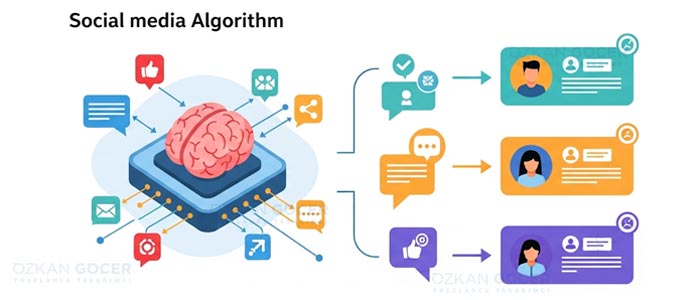
A feed may combine followed accounts, recommended posts and advertising. Viewing history, searches, interactions and feedback can contribute to recommendations. Different platforms and different sections of one app need not use the same ranking method.
Meta describes separate systems for surfaces such as Feed, Stories and Reels. YouTube’s explanation distinguishes viewing history, subscriptions and satisfaction feedback. A post with many likes will not necessarily be the first thing every user sees.
Muting an account, changing notifications and marking a recommendation “Not interested” do different jobs. For example, YouTube’s recommendation controls treat history and feedback as separate settings. Hiding one video is not the same as deleting all account activity.
Posts, Messages and Other Useful Terms
- Post: text, an image, a video or other content published to a selected audience.
- Story: a format with platform-specific display and availability rules.
- Direct message / DM: a message to a person or group. Recipients may still take screenshots.
- Tag or hashtag: a way to identify an account or topic, not a guarantee of additional reach.
- Reach and impressions: accounts reached within a defined scope versus display events. Check the reporting definition.
A social media ad is promotional content distributed through paid placement. It can appear in the same feed as ordinary posts; check its advertising label and publisher. Seeing an ad does not mean you follow that account.
Social-media language includes these terms as well as abbreviations, emoji and community expressions. There is no universal tone: a professional explanation and a message to friends can sound different. Unfamiliar jargon is not evidence of expertise.
Benefits and Practical Risks
Learning from a repair video, finding people with the same interests, announcing an event and asking a business a question are practical benefits. Businesses can demonstrate a product and notice recurring customer questions. Views alone do not prove sales, satisfaction or an improvement in Google rankings.
Misinformation, unwanted sharing, impersonation and constant interruptions can make the experience less useful. Popularity does not establish truth. Check the source and date, and follow an important claim back to its original evidence. Do not repost someone else’s private information without permission.
Before sharing, ask: Who can see this? Does it reveal a location or private detail? Is someone else’s permission needed? Is the source sound? Your digital footprint includes old comments and photographs that may resurface. Making an account private cannot retrieve copies that already exist.
Choose the Next Step for Your Purpose
For personal use, start with accounts you find useful, turn off unnecessary notifications and inspect your screen-time record. If use is significantly interfering with work, sleep or relationships, consider the pattern and any support you need rather than looking for one “normal” number of hours. A screen-time check is not a medical diagnosis.
For a business, choose a customer need instead of opening every available channel. Demonstrating a product calls for a suitable format; answering customer questions calls for a response process. Continue with a social media management plan and a worked reporting example when you need an ongoing workflow. Combine sharing precautions with account and device security checks.