What Does Royalty-Free / Free Stock Photo Mean? (Licenses)
Royalty-free means the right to use an image without paying again for each use; free means you can download it without paying at all. The two are often confused, yet they are not the same. An image being royalty-free does not mean its copyright has disappeared.
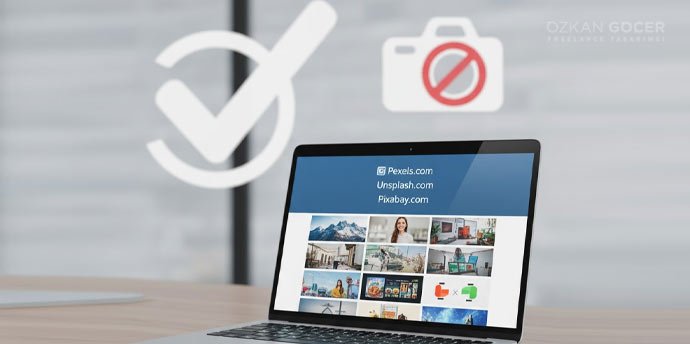
Sites like Unsplash, Pexels, and Pixabay offer images under near-free licenses: usually open to commercial use and requiring no attribution. Even so, each site has its own rules; images with a recognizable person, brand, or logo may need extra permissions. Creative Commons licenses also clarify the conditions under which you can use an image.
The Best Free Stock Photo Sites
I chose the sites below for quality, license freedom, and content variety. There is no single "best"; the right source depends on the kind of image you need.
Unsplash
Unsplash is the best-known free stock source, standing out for high-quality, artistic photos. Images are open to commercial use, and attribution is not required. For designers after an aesthetic, modern look, it is a strong first stop.
Pexels
Pexels is a broad library offering both photos and videos, free and without required attribution. Its search and category structure is practical, and content is refreshed regularly. For anyone wanting both images and video in one place, it is an efficient option.
Pixabay
Pixabay is a versatile source that holds video, vectors, illustrations, and music alongside photos. Images are free and usually need no attribution. For anyone wanting several media types on one platform, it is a comprehensive library.
StockSnap and Burst
StockSnap offers frequently updated free photos with no attribution required. Burst, built by Shopify, focuses on e-commerce and business-themed images. Both are practical sources for product and business content.
Canva and FreeImages
Canva offers ready free images inside its own editor, which fits straight into your workflow if you already design in Canva. FreeImages is a longer-standing free photo library with a sizable archive. Both suit a quick, simple start.
Scroll sideways to read every column. Keyboard: focus the table and use the arrow keys.
| Site | Strength | Attribution |
|---|---|---|
| Unsplash | Artistic, high quality | Not required |
| Pexels | Photos + video | Not required |
| Pixabay | Photo, video, vector, music | Usually not required |
| Burst | E-commerce focused | Not required |
Commercial Use and Attribution: What's Required?
Most images on Unsplash, Pexels, and Pixabay can be used in commercial projects with no required attribution; crediting the photographer is still a courtesy. The point that needs real attention is the content of the image.
If you use a photo with a recognizable face commercially, a model release may be needed; a brand logo, product packaging, or a private location can require similar permissions. A license saying "free for commercial use" does not mean every element inside is cleared. Before using an image in a sensitive campaign, check the license and the content twice.
The most overlooked point in commercial use is the people and brands in the image; even if a license says "free for commercial use," a recognizable face or logo can need a separate release. Check an image you will use in an ad or on product packaging for its content as well as its license.
When in doubt, reading the license page of the site that produced the image answers most questions in a few minutes. A little care in a sensitive campaign prevents a copyright problem down the road.
Free vs Paid (Shutterstock/Adobe Stock)
Free sites offer surprising quality today, but there is a cost: popular images are used everywhere, and an overused visual can leave your brand indistinguishable from the rest.
Paid platforms like Shutterstock and Adobe Stock offer a far larger archive, niche topics, model releases, and legal assurance. For an image that is brand-critical, niche, or legally risky, a paid source is often safer. Free for daily content and paid for brand identity is a balanced approach.
Free Video, Vector, and Icon Sources
The need is not limited to photos; there are strong free sources for video, vectors, and icons too. Choosing the right one depends on your project type and the file format you want.
- Video: Pexels, Pixabay, Coverr, and Mixkit offer free stock video.
- Vectors and illustration: unDraw is free with no attribution; Freepik is broad but may require attribution on its free plan.
- Icons: Flaticon, Icons8, and Heroicons hold free icons in various styles.
- Music: Pixabay and the YouTube Audio Library provide royalty-free music for your content.
Can You Use Google Images?
No, you should not use images from a Google search by default; most of them are protected by copyright, and using them risks infringement and legal trouble. A search engine finds images, but it does not grant the right to use them. If you must search there, use the usage-rights filter, but confirming on the original source is always safer.
The reliable path is to take images from a stock site whose license you understand. Free libraries like Unsplash, Pexels, and Pixabay give you both the image and clear permission, which a random Google result does not.
What to Consider When Choosing and Using Images
A good image choice starts with relevance and originality. Look for a high-resolution image that genuinely fits your topic and avoids cliches; the "corporate handshake" shots everyone uses make a brand fade. Always check the image's license and any recognizable elements inside it.
When you use it, match the resolution to the placement; the web needs optimized files while print needs high resolution. When building a brand identity, choosing images with a consistent color and style makes the brand far stronger.
Avoiding cliches when choosing an image is one of the easiest ways to set your brand apart; instead of the "smiling team" shot everyone uses, an image specific and original to your topic sticks better. A consistent color and style build a far stronger identity than scattered but flashy visuals.
Matching resolution to the placement matters too; the web needs light, optimized files while print needs high resolution. The right image does its full job when it meets the right size and the right license.
Alternative: AI Image Generation
AI image generators offer a strong alternative to stock photos. Tools like Midjourney, DALL-E, and Adobe Firefly build the scene you describe from scratch, letting you avoid the familiar stock look and get an original frame.
Still, there are points to watch: the commercial-use rights of a generated image vary by tool. Adobe Firefly, trained on licensed data, is considered safer for commercial use. For consistency and brand fit, the healthiest path is to use AI as a starting point and integrate the result into your own design.