
Imagine sharing the same announcement in a newsletter, on Instagram and on a partner's website. All three links can open the same page. What you need to know is which placement brought someone there. Leaving the names to whoever happens to publish each link makes that question unnecessarily difficult to answer.
What goes in source, medium and campaign?
Source identifies the origin, medium describes how the visitor arrived, and campaign names the shared marketing effort. For example, newsletter / email / winter_workshop_2026 distinguishes a newsletter visit to that workshop campaign. utm_content can separate a top button from a footer text link within the same email.
Scroll sideways to read every column. Keyboard: focus the table and use the arrow keys.
| Field | Question it answers | Example |
|---|---|---|
| utm_source | Which origin? | newsletter |
| utm_medium | How did the visitor arrive? | |
| utm_campaign | Which shared campaign? | winter_workshop_2026 |
| utm_content | Which placement or creative? | top_button |
| utm_term | Which paid keyword? | Leave blank in this email example |
| utm_id | Which campaign identifier? | Use your shared campaign ID where applicable |
Google documents additional parameters, but you do not need to fill every available field for a first link. Add campaign IDs or source platforms to your shared dictionary when you use them. Do not invent values for fields you have no reason to track. In this context, UTM is unrelated to the mapping coordinate system with the same initials.
Give three channels one campaign dictionary
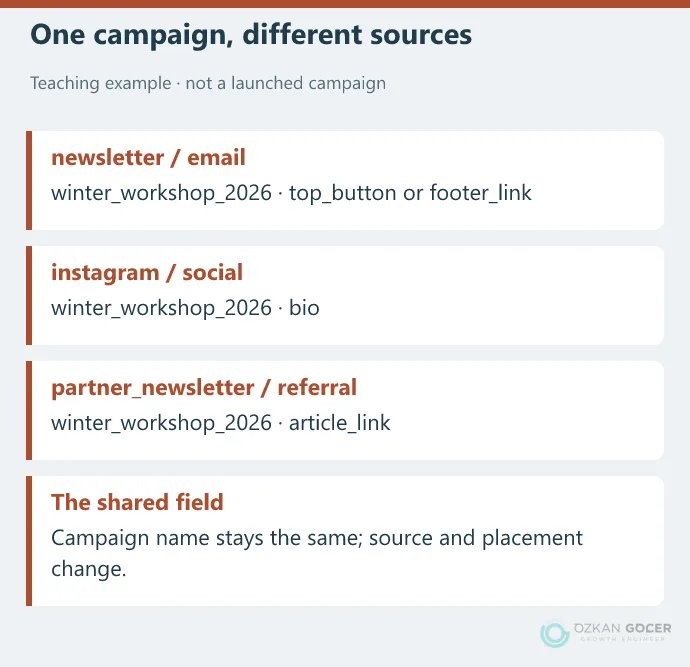
The workshop campaign below is a teaching example, not a sent email, live advertisement or client result. Its campaign name stays the same across rows; the source and placement change.
Scroll sideways to read every column. Keyboard: focus the table and use the arrow keys.
| Placement | source / medium | campaign / content |
|---|---|---|
| Newsletter top button | newsletter / email | winter_workshop_2026 / top_button |
| Newsletter footer link | newsletter / email | winter_workshop_2026 / footer_link |
| Organic Instagram bio | instagram / social | winter_workshop_2026 / bio |
| Partner article; no commission | partner_newsletter / referral | winter_workshop_2026 / article_link |
Adapt the table with your destination, owner and publication date. If colleagues rename the same campaign as they work, the report may split one effort into several rows. I would agree a small dictionary first and generate links from it afterwards.
Choose lowercase and one separator. WinterWorkshop, winter_workshop and winter-workshop are different strings. Non-English characters are not inherently impossible in a URL, but a simple shared convention can make copying and collaboration easier. This is a record-keeping choice, not an SEO technique.
A partner link is not necessarily an affiliate link. A non-commissioned reference may suit referral; a genuine affiliate programme can use a separate affiliate convention. Do not label an organic social post as paid. GA4 channel rules interpret the source and medium, so an invented medium that reads well to your team may not land in the channel you expect.
How do you use Campaign URL Builder?
Open Google's Campaign URL Builder. Enter the final destination under Website URL, then add the source, medium and campaign name from the dictionary. Use content to distinguish placements within the campaign. An email example can leave term empty; filling every box is not the objective.
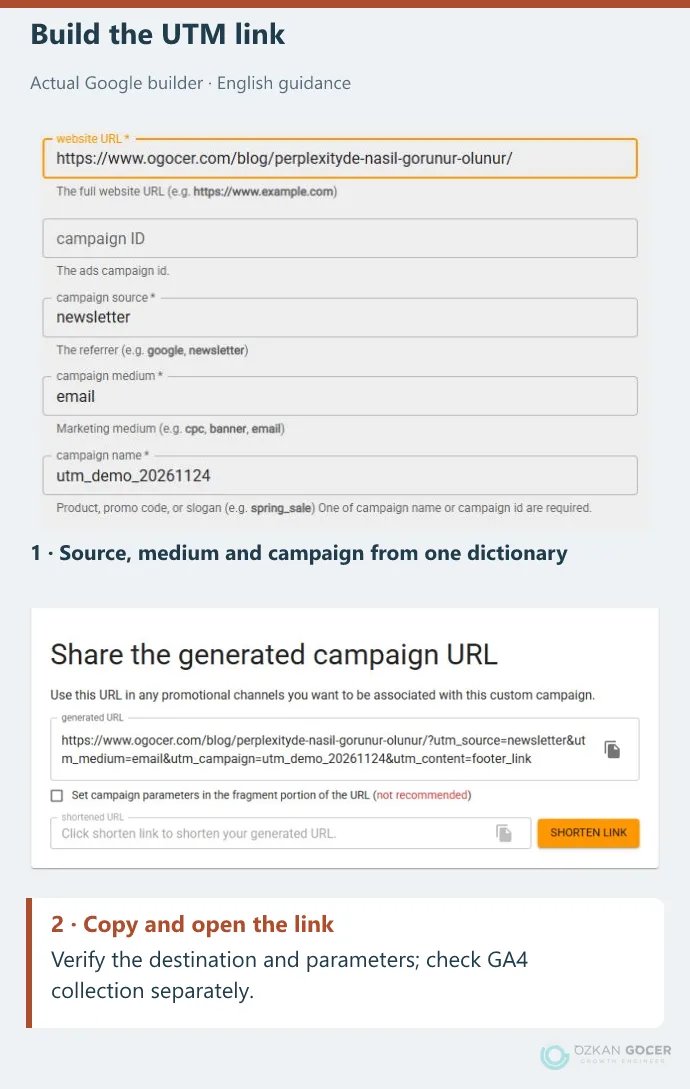
I created the link shown in the actual builder on 24 November 2026, using utm_demo_20261124 as the campaign and footer_link as its content value. The article opened in the browser with all four parameters retained in the address. That verifies the destination and URL, not a campaign record in GA4; I did not confirm that latter step for this example.
I also queried GA4's Data API that day, filtering a session report by the campaign name and a page-view report by the tagged address. Both requests succeeded, but neither returned a row for this test at that point. That does not establish a broken tag: processing time, session scope and collection conditions need separate checks. The verified result here is a working link, not a measured visit.
Copy the generated URL. With no existing query, parameters begin after ? and are separated by &. If the destination already contains a query such as ?lang=en, do not add a second question mark. A section fragment such as #details belongs after the query. A builder reduces typing mistakes, but you still need to open the result.
What should you test before sharing the link?
Seeing a generated address is only the start. Test the route a reader will actually use, including your email service, short link or redirect if those are part of the delivery.
- Does the correct page open? In my check, the tagged blog listing redirected to a 404 page, while the tagged article opened. Even two destinations on one site can behave differently.
- Are source, medium, campaign and content retained after redirects? A single changed character can produce a different value.
- Does the destination still work on the intended phone or browser? Test an in-app browser separately if it is part of the expected journey.
- Under the permitted measurement conditions, is the tag collecting data? Realtime can provide an initial signal; detailed debugging uses DebugView with debug mode enabled. An arbitrary URL parameter does not enable that setup by itself.
- Retain the test date and campaign name. A test visit is not a business result and should not be presented as genuine campaign demand.
If you cannot identify which property receives the events, finish the GA4 setup and validation checks first. Verify the relevant event separately for enquiries or purchases. A UTM label does not discover that a form was successfully submitted.
Where do UTM values appear in GA4?
Open Traffic acquisition and select the relevant period. Start with Session source/medium and Session campaign. Google's report guidance describes this view in terms of sessions from both new and returning users; it is different from the first-user source in User acquisition.
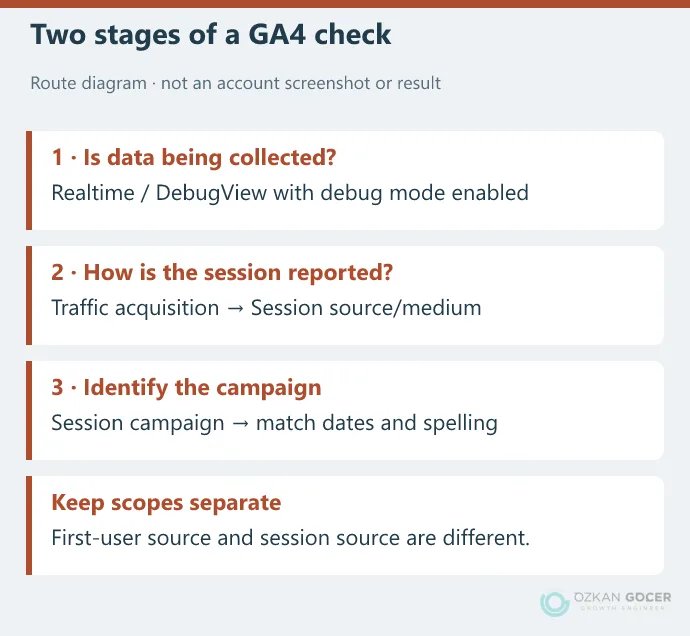
To examine utm_content, you may need an appropriate manual ad content dimension rather than the default table. There is another useful distinction when searching for the full tagged URL: Google omits UTMs from Landing page + query string and Page path + query string, while Page location can contain them. Their absence in one column does not prove the incoming link lacked labels.
Standard reports are not necessarily complete immediately. Google says processing can take 24–48 hours. Check the period, time zone and reporting scope before declaring a failure. A session in the campaign row is also a different measurement from a click recorded by an email tool; consent, repeat clicks and processing can all affect the comparison.
What should you check when the campaign is missing?
Split names: Search for alternative spellings. The visit you cannot find may be recorded under a different campaign name.
Lost parameters: Follow the short link through to the final page. Checking only the URL originally produced by the builder misses later changes.
The wrong report or an existing session: GA4 does not start a new session solely because it encounters new campaign information during one already in progress. Google's session explanation distinguishes the treatment of these values at event and session scope. A fresh browser session, with valid consent conditions, makes a controlled check easier to interpret.
Collection and filters: A wrong property, missing tag, consent choice or internal-traffic filter may explain the gap. More UTM fields will not repair those problems.
An unrecognised or missing medium: Read the source/medium row before assuming the channel is correct. Then inspect the classification rule. Do not call paid social traffic email just to make it appear in the Email group.
Should you tag internal links or Google Ads URLs?
Do not put campaign UTMs on your own navigation, blog links or buttons between pages. Those clicks are not new external sources. Measure an internal interaction with an appropriate event if needed, keeping the acquisition source separate from the button clicked afterwards.
For Google Ads, assess account linking and auto-tagging. Google's manual and automatic tagging guidance explains the priority of auto-tagged traffic-classification values when both are present. Manually writing google / cpc does not supply all the campaign and cost information available through the integration. If conversion counts differ, use the GA4 and Google Ads attribution comparison; choosing an attribution model is a different job from naming URLs.
Keep personal information out of the labels. Do not include a person's email address, phone number or name. Google's PII guidance explains how URLs can inadvertently transmit such information to Analytics. Calling it a personalised campaign label does not solve that problem.
Put the dictionary where the team works
Keep destination, source, medium, campaign, content, owner and test date together. If a name must change after launch, record the old and new forms. Carry the same names into your email campaign review and the objectives and metrics in your social media report.
If you are struggling to connect advertising links with meaningful outcomes, my Google Ads management and measurement service can help assess the setup. We can start with the action you need to measure and a few links already in use, then define the work around the actual gap.