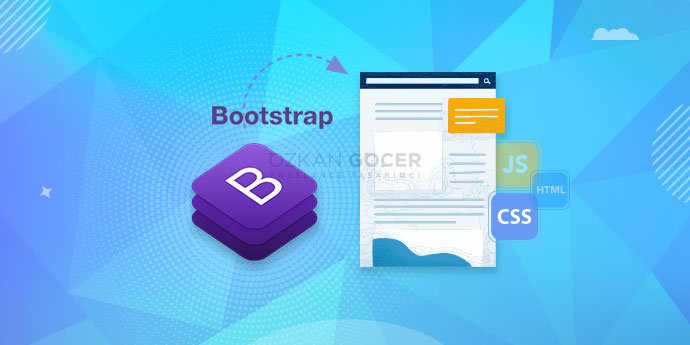
WHAT İS BOOTSTRAP AND WHAT DOES İT DO? OPERATİON, INSTALLATİON AND USAGE

What is Bootstrap and what does it do? Operation, Installation and Usage

Bootstrap actually refers to three different things: most commonly a CSS framework that quickly builds a website's front end; in entrepreneurship, growing without outside investment ("bootstrapping"); and in statistics, a resampling method. Below I focus mainly on the CSS framework (what it does, the grid system, how to use it, pros and cons) and cover the other two meanings in short sections. You can jump to the relevant section by which one you are looking for.

The Three Meanings of Bootstrap: Which One Are You Looking For?

The word "Bootstrap" means three separate things by context, and this often causes confusion. The most searched meaning is Bootstrap in the web and software world: a CSS framework used to quickly design a site's front end.

The other two meanings are from different fields: in entrepreneurship, "bootstrapping" means growing a business with your own resources without outside investment; in statistics and data science, bootstrap is a resampling method. The three only share the same word; there is no technical link between them. The weight of this article is on the CSS framework; I briefly explain the other two at the end.

What Is Bootstrap (CSS Framework) and What Is It For?

In its most common sense, Bootstrap is a free, open-source CSS framework used to design websites' front end quickly and tidily. It contains ready-made CSS and JavaScript components: buttons, forms, menus, cards, navigation bars and a grid system.

What does it do? Instead of writing all CSS from scratch, you build much faster, consistent and mobile-friendly (responsive) interfaces using Bootstrap's ready classes. It is a practical way for non-designer developers in particular to make pages look tidy and modern. For official components and examples, getbootstrap.com is the reference, and for CSS basics, MDN CSS.

The Bootstrap Grid System and Responsive Design

The grid system is Bootstrap's strongest and most-used feature. It divides the page into an invisible grid: the structure rests on container, row and column logic, and a row splits into 12 columns. You place your content in these columns and state how many columns it spans with classes.

Its most important advantage is being responsive: the same layout rearranges automatically by screen size. For example, three boxes side by side on desktop stack on top of each other on a phone; so one design looks right on every device. The web.dev guide deepens the logic of responsive design. Learning the grid system is the heart of learning Bootstrap.

How Is Bootstrap Used? (Setup and Basic Structure)

The fastest way to add Bootstrap to a project is the CDN method: you add the link and script tags for Bootstrap's official CSS and JavaScript files to your HTML page; so you start using it right away without installation. Alternatively, you can download the files or install them with a package manager like npm.

After adding it, usage is just writing Bootstrap's ready classes on your HTML tags; for example, adding the button-style class to a button, or grid classes to a section. The official documentation provides ready code examples for each component; most people move fast with a "copy and adapt" approach. A step-by-step start with W3Schools Bootstrap is also practical. The best way to learn is to try building a small page from scratch with Bootstrap.

The Advantages and Disadvantages of Bootstrap

Bootstrap is very practical for quick prototypes and standard interfaces, but it may not be the right choice in every case.

  • Advantages: speed (ready components), nearly out-of-the-box responsive, consistent and tested components, browser compatibility, a large community and plenty of documentation.
  • Disadvantages: sites can look alike if not customized, unused styles can bloat the page, class clutter can pile up in the HTML, and using it without learning the basics can create dependency.

In my own practice, I found Bootstrap very valuable when building a quick prototype or admin panel; but a brand-specific, unique design may need customization or other solutions. As an alternative, you can also look at free HTML5 frameworks. In the end, Bootstrap is a tool: in the right job, it saves a lot of time.

What Does 'Bootstrapping' Mean in Entrepreneurship?

In the entrepreneurship context, "bootstrapping" means growing a business with your own resources and the business's own revenue, without outside investment. It is moving forward without external financing like an angel investor, venture capital or a loan; with a limited budget, by cutting costs and reinvesting as you earn. The name comes from the idiom "pulling yourself up by your own bootstraps".

Its advantage is that the entrepreneur keeps full control and ownership of the company and answers to no one. Its difficulty is that growth can be slow because resources are limited, and the risk falls directly on the entrepreneur. The concept is completely different from the web framework Bootstrap; they only share the same word.

What Is Bootstrap (Resampling) in Statistics?

In statistics and data science, bootstrap is a resampling method. The core idea is to create new samples many times from your single data sample, randomly and with replacement, and thereby estimate how reliable a statistic (for example the mean) is.

Why is it used? In real life you usually have a single data set; bootstrap lets you calculate confidence intervals and margins of error from that single set, and it does not require strict assumptions about the data's distribution. It is also used in machine learning (for example in the "bagging" technique). It is a concept entirely separate from the web framework Bootstrap; the only thing in common is the name.


FAQ

Frequently Asked Questions

Quick answers for readers who skipped to the end.

What is Bootstrap and what is it for?
In its most common sense, Bootstrap is a free, open-source CSS framework used to design websites' front end quickly and tidily. It has ready CSS and JavaScript components (button, form, menu, card, navbar) and a grid system. What it does: instead of writing all CSS from scratch, you build much faster, consistent and mobile-friendly (responsive) interfaces with ready classes. It is practical especially for non-designer developers. Note: "bootstrap" also has different meanings in statistics and entrepreneurship; this answer covers the web framework.
Does Bootstrap make knowing CSS unnecessary?
No. Bootstrap reduces the burden of writing CSS but does not remove CSS entirely. To use Bootstrap effectively you need to know HTML and understand basic CSS logic (classes, the box model, responsive behavior); because this base is required to place ready classes correctly and write your own customization on top when needed. Think of Bootstrap as ready lego pieces: the pieces are ready, but combining them right and customizing for the brand is up to you. Tip: first learn the plain HTML and CSS base, then move to Bootstrap; that way you do not stay dependent on the framework.
How is Bootstrap used and added to a project?
The fastest way is the CDN method: you add the link/script tags for Bootstrap's official CSS and JavaScript files to your HTML page, so you use it right away without installation. Alternatively you can download the files or install with npm. After adding it, usage is just writing Bootstrap's ready CLASSES on HTML tags; for example, adding the button class to a button, or grid classes to a section. The official documentation provides ready code for each component; most people move fast with "copy and adapt". The best way to learn is to build a small page from scratch with Bootstrap.
What is the Bootstrap grid system?
The grid system is Bootstrap's strongest and most-used feature. It divides the page into an invisible grid: the structure rests on container, row and column logic, and a row splits into 12 columns. You place your content in columns and state how many columns it spans with classes. Its most important advantage is being RESPONSIVE: the same layout rearranges automatically by screen size (phone, tablet, desktop); for example, three boxes side by side on desktop stack on a phone. So one design looks right on every device and you do not write separate code per screen. Learning the grid is the heart of learning Bootstrap.
What are the advantages and disadvantages of using Bootstrap?
ADVANTAGES: (1) speed (quick interface with ready components), (2) responsive (mobile-friendliness nearly out of the box), (3) consistency (components are aligned and tested), (4) browser compatibility, (5) a large community and plenty of documentation. DISADVANTAGES: (1) sites can look alike if not customized, (2) unused styles can bloat the page, (3) class clutter in the HTML, (4) dependency if used without learning the basics. Conclusion: Bootstrap is very practical for quick prototypes and standard interfaces; for brand-specific, unique designs, customization or other solutions may be needed.
What does bootstrap (bootstrapping) mean in entrepreneurship?
In entrepreneurship, "bootstrapping" means growing a business with your own resources and the business's own revenue, without outside investment. That is, moving forward without external financing like an angel investor, venture capital or a loan; with a limited budget, cutting costs and reinvesting as you earn. The name comes from the idiom "pulling yourself up by your own bootstraps". Advantage: the entrepreneur keeps full control and ownership and answers to no one. Difficulty: growth can be slow because resources are limited, and the risk falls directly on the entrepreneur. This is a completely different concept from the web framework Bootstrap; they only share the word.
What is the bootstrap method in statistics?
In statistics and data science, bootstrap is a resampling method. The core idea: create new samples many times from your single data sample, randomly and with replacement (the same observation can be picked more than once), and thereby estimate how reliable/variable a statistic (for example the mean) is. Why is it used? In real life you usually have a single data set; bootstrap lets you calculate confidence intervals and margins of error from that single set and does not require strict assumptions about the distribution. It is also used in machine learning ("bagging"). It is a concept entirely separate from the web framework Bootstrap; the only thing in common is the name.

Summarize:
Özkan Göçer profile photo

Özkan Göçer

Growth Engineer & Digital Marketing Specialist

Özkan Göçer is a Growth Engineer and Digital Marketing Specialist with over 15 years of field experience and 200+ completed projects. With a background in Advertising and Web Design, he authored this guide based on modern W3C standards and UI/UX principles.


Scroll to top