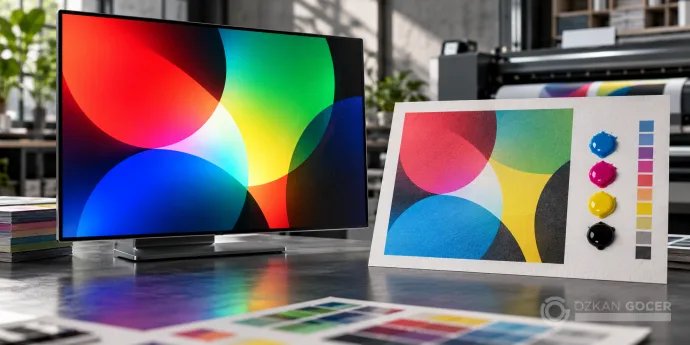
What are RGB and CMYK?
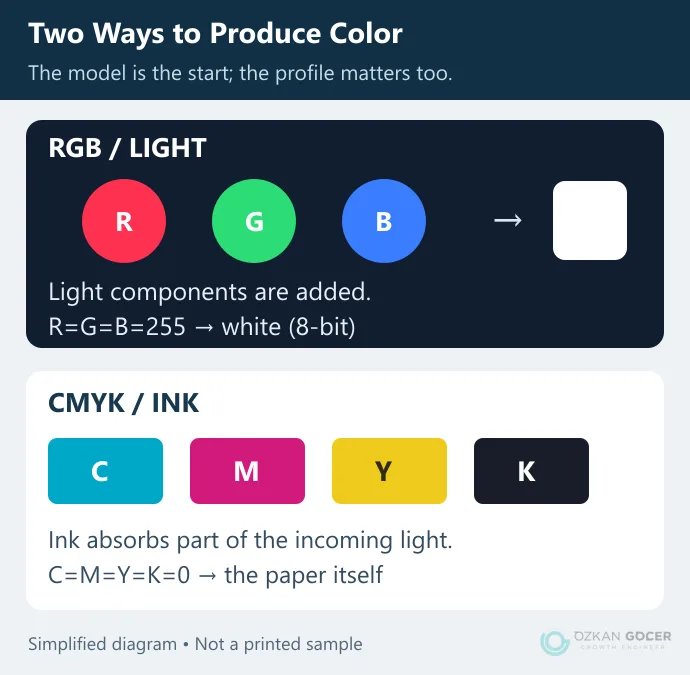
RGB uses red, green and blue light components. In a common 8-bit representation, each channel ranges from 0 to 255. All three at 0 represent black; all three at 255 represent white. RGB is used for web graphics, presentations and many digital photography workflows.
CMYK describes cyan, magenta, yellow and key/black printing-ink components. Values are commonly expressed as percentages. Zero in every channel means no process ink in that area; on cream paper, it will not look like a display's white. The black channel supports dark tones and detail reproduction.
Scroll sideways to read every column. Keyboard: focus the table and use the arrow keys.
| Question | RGB | CMYK |
|---|---|---|
| How is color produced? | Through light components. | Through the interaction of ink, paper and light. |
| Where is it used? | Displays and many digital image workflows. | Preparation for four-process-color printing. |
| How are values written? | For example, sRGB 0, 255, 0; HEX #00FF00. | C/M/Y/K percentages tied to an output profile. |
| Is the model enough? | No; a space such as sRGB or Adobe RGB matters too. | No; a profile describing the printing condition is needed. |
Adobe's explanation of color modes distinguishes the model from the working space. When you open a CMYK document on a monitor, you still see the display's RGB light. The preview is not physical ink.
A color model, a profile and a HEX code are different things
The model names the components. The color space, described by a profile, defines what their numbers mean. Identical RGB numbers can describe different colors in different profiles. HEX is a common way to write RGB values for the web; it is not a printing specification.
A #00FF00 swatch from a palette tool does not have one universal CMYK equivalent. The source profile, destination profile and conversion method affect the result. Whether the palette works as a composition is another question: color harmony describes relationships, not a promise of identical print reproduction.
What happened to four colors in a real profile calculation?
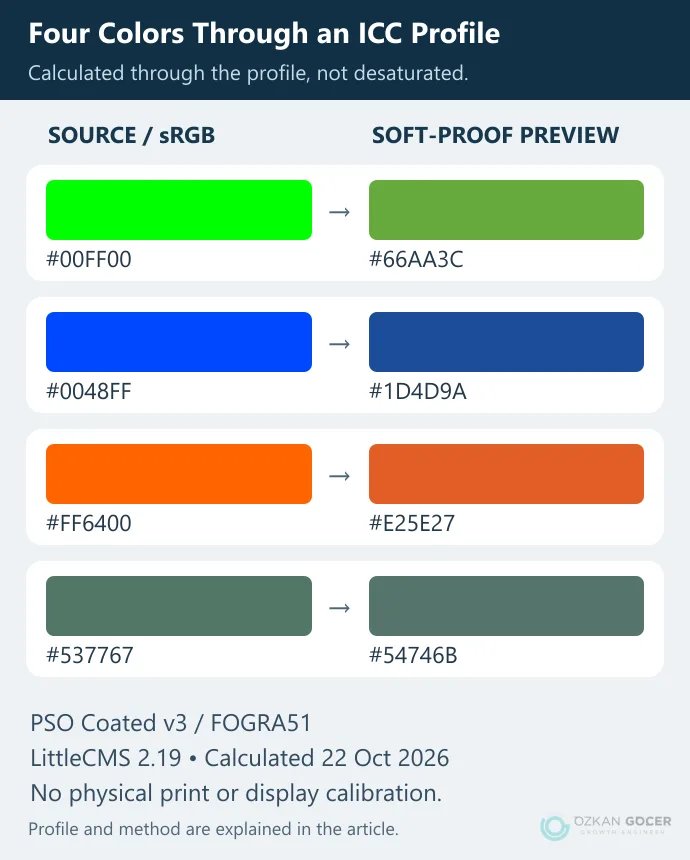
On 22 October 2026, I calculated four original sRGB swatches using LittleCMS 2.19. The proofing profile was ECI's PSO Coated v3 / FOGRA51, which represents a particular premium-coated offset printing condition. It is an example, not a recommendation for every printer. The ECI downloads and accompanying profile document explain its scope.
The calculation used Relative Colorimetric rendering with black point compensation, and Absolute Colorimetric proof rendering. The output is displayed in sRGB. This was not a physical print test or a calibrated-monitor measurement. It does, however, show an ICC-calculated change instead of manually reducing saturation to illustrate a point.
Scroll sideways to read every column. Keyboard: focus the table and use the arrow keys.
| Source sRGB | Calculated C / M / Y / K (%) | Proof preview in sRGB |
|---|---|---|
| #00FF00 | 61.6 / 0 / 96.9 / 0 | #66AA3C |
| #0048FF | 96.5 / 73.3 / 0 / 0 | #1D4D9A |
| #FF6400 | 0 / 71.4 / 98 / 0 | #E25E27 |
| #537767 | 61.2 / 26.3 / 49 / 31 | #54746B |
The vivid green and blue changed more noticeably than the muted green. Four swatches do not establish how every color behaves. These percentages belong to this setup and should not be copied as a recipe for your brand. Image compression and the display you are using can also affect what you see.
How to convert RGB to CMYK
- Keep the source. Retain the layered RGB original and prepare a separate print copy.
- Ask for the production specification. Confirm the printing method, paper, destination ICC profile and PDF requirements rather than choosing a profile at random.
- Check the source profile. If a file is untagged, establish how it was created before assigning a profile by guesswork.
- Convert to the agreed destination. In Photoshop, use Edit > Convert to Profile, select the profile and review the preview and conversion options.
- Compare important details. Inspect saturated colors, dark areas and small text. Renaming a file “CMYK” performs no conversion.
Assign Profile and Convert to Profile do different jobs. Assigning changes the interpretation of existing values; conversion changes values while attempting to preserve appearance in the destination space. Adobe's profile guidance explains the distinction. Some out-of-gamut colors cannot be recovered exactly after conversion, so do not overwrite your only original.
What should you inspect in a soft proof?
In Photoshop, View > Proof Setup > Custom lets you select the profile to simulate. Toggle Proof Colors to compare the preview. Paper and black-ink simulation options can depend on the selected profile. The purpose is to inspect a likely change before committing the document to a conversion.
An excessively bright or incorrectly profiled monitor can mislead you even with proofing enabled. For a critical brand color, agree on an appropriate production proof and acceptance criteria with the printer. A home photo printer or print service may request RGB files; an extra CMYK conversion may be unnecessary. Decide which part of the workflow manages color so the application and printer do not apply uncontrolled successive conversions.
Check these points before sending artwork
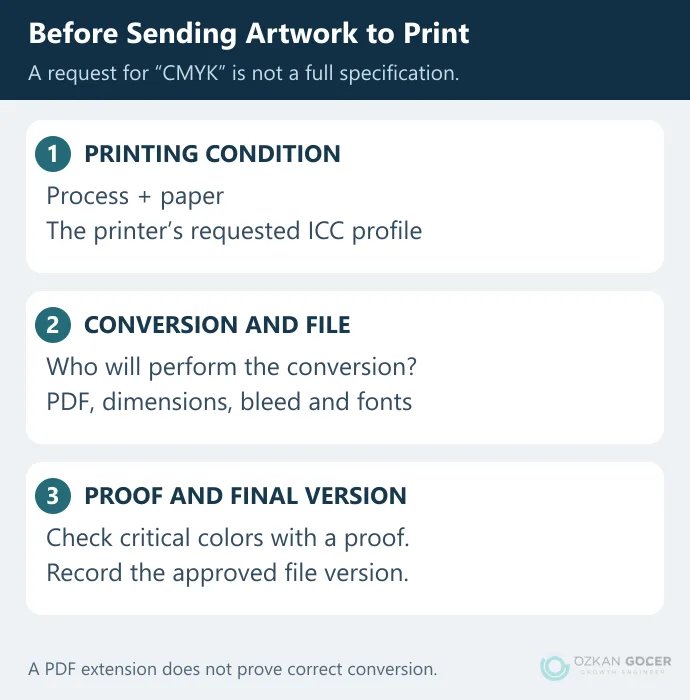
- Are the destination profile and paper specification agreed in writing?
- Are the requested PDF type, bleed, final dimensions and font requirements clear?
- Will you convert the colors, or will the print provider?
- Do small black text, large black areas and any spot colors meet the printer's requirements?
- Does the approved proof correspond to the final delivered file version?
A PDF is not automatically converted to the correct CMYK space. An output intent describes the intended output condition; it does not by itself convert every object's colors. Do not use a universal rule such as “set all four channels to 100% for black.” Ink limits and separation settings depend on production.
Give screen and print exports clear names, and record profiles and intended use in the brand identity guidelines. If your logo, website and printed materials need a consistent color system, we can review the palette against real applications and production requirements as part of a graphic design project.