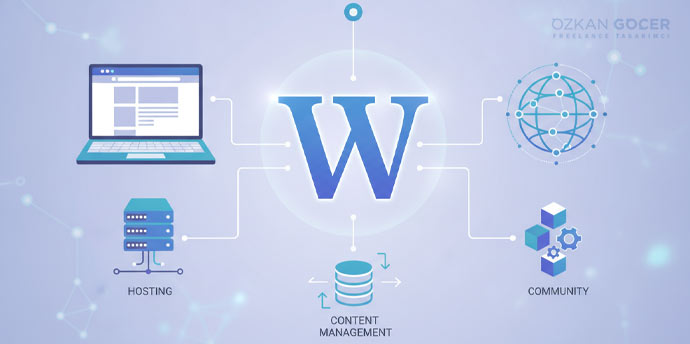
What Separates WordPress Hosting From Ordinary Hosting
Technically WordPress runs on any standard PHP and MySQL server, so you can publish a site without buying a special package. The difference lies in whether the server is tuned to how WordPress behaves. In a genuine WordPress package you look for: a suitable PHP version and memory limit, page caching plus object cache, WP-Cron handed over to a real system cron, a staging environment, daily backups with restore, and a security layer aware of WordPress. The label itself guarantees nothing; a package saying "WordPress hosting" can be ordinary shared hosting underneath. The fastest way to tell is asking the provider concrete questions: which PHP version, how many PHP workers, what caching exists server-side, is there staging, are backups daily and is restore self-service. A provider that cannot answer clearly probably is not delivering the difference either. We covered hosting types in our what is hosting guide and provider comparison in our best hosting companies article.
WordPress's Official Server Requirements
The soundest basis for a decision is the official document rather than guesswork. By WordPress.org's requirements page, the recommended setup is PHP 8.3 or higher, MariaDB 10.11 and above or MySQL 8.0 and above, Apache or Nginx as the server software, and HTTPS for every installation. The same page notes that WordPress can still run on older versions such as PHP 7.4 and MySQL 5.5.5, but that these are end of life and carry security risk. In practice this means: if a provider gives you PHP 7.x or does not let you change the PHP version from the panel, stop and think. You can check yourself: the Site Health screen under Tools in the WordPress admin shows your PHP and database versions. The first question when choosing hosting is not price but which PHP version and database engine they offer.
One detail almost never appears in comparison tables: "we support PHP 8" says nothing on its own, because the minor releases inside the 8 series run on different support calendars. By PHP's official support schedule, the picture is this:
- PHP 8.2: active support over, security fixes only, and those end on 31 December 2026.
- PHP 8.3: active support over, security fixes run to 31 December 2027.
- PHP 8.4: in active support until 31 December 2026.
- PHP 8.5: in active support until 31 December 2027.
The practical meaning is blunt. Once 2026 closes, a site left on PHP 8.2 sits on an interpreter nobody patches any more, even while WordPress keeps running fine on top of it. So the right question is not "do you have PHP 8" but which minor versions you can pick from the panel and how quickly a new release gets added. If the answer is "we upgrade automatically", ask for an example.
WordPress.org's Recommended List: Who Is On It?
WordPress.org's hosting page lists only three providers: Pressable, Bluehost and Hostinger. The list is far shorter than most people expect. It is also unusually transparent about itself. The page describes its own selection process, in its words, as completely arbitrary, and its criteria include contributions to WordPress.org, size of customer base, ease of auto-installation, GPL compliance and even capitalising the word WordPress correctly. The same page discloses the commercial relationship openly: some providers donate a portion of sales made through the page to WordPress.org, and it notes that Pressable is owned by Automattic. The correct reading is this: being on the list is not a performance guarantee, and being absent does not mean a provider is bad. Use the list as a starting point, not as a decision criterion.
What Managed WordPress Hosting Actually Buys
The price gap on managed packages usually comes from operations rather than hardware. What you buy is: monitoring of core and plugin updates, caching tuned to WordPress at the server level, a ready staging environment, daily automatic backups with one-click restore, a security layer that recognises WordPress-specific attack patterns, and a support team that knows WordPress. Managed packages have known constraints too: plugin blacklists (especially caching and backup plugins), limited server access and visit-based pricing. The decision rule is simple: if you have the technical time and knowledge to do your own maintenance, you can save the managed premium; if not, a managed package is really buying a maintenance service and comes out cheap for most businesses. When buying managed, always ask in advance which plugins are prohibited and what happens when you exceed traffic limits. Want a quick test of your own situation? Answer this: over the past three months, who applied the WordPress updates, and when something broke, how many hours did recovery take? If the answer is "nobody" or "days", the managed premium costs less than the maintenance you are not doing.
Automatic Updates: What WordPress Already Does Itself
Automatic updates are the feature providers market most, yet WordPress already does part of it. By the official developer documentation, minor core releases and translation files update automatically by default, and on new installations after WordPress 5.6 major core releases are automatic by default too. The real gap is plugins and themes: they do not auto-update by default, the only exception being cases triggered by WordPress.org for critical security vulnerabilities. We covered in our WordPress guide that the overwhelming majority of vulnerabilities come from plugins, so when evaluating a provider's auto-update promise there is one question: does it update plugins too, does it test the site afterwards, and can it roll back if something breaks. Automatic plugin updates without testing and rollback can cause more problems than they solve.
Caching Layers: LiteSpeed, FastCGI and Object Cache
Because WordPress runs PHP and queries the database on every page request, caching is the highest-return performance item. There are three layers. Page caching stores the generated HTML and serves the same page without running PHP; server-side this is LiteSpeed's LSCache or Nginx FastCGI caching. Object cache keeps the results of repeated database queries in memory using Redis or Memcached, and it matters most on dynamic and logged-in pages. Browser caching keeps static files on the visitor's device. One critical detail deserves attention: the automatic page caching and smart purging features of the LiteSpeed Cache plugin work only on LiteSpeed-based servers or with QUIC.cloud; on Apache or Nginx you can install the plugin but only use its general features such as minification and lazy loading. Installing the plugin is not enough; the server has to support it.
PHP Workers: The Real Bottleneck
The least discussed but most decisive item in package comparisons is the PHP worker count. A PHP worker is a single PHP process handling one request; with concurrent visitors every uncached request is assigned to a worker, and when all workers are busy new requests queue. The result is a site that slows or errors even while server resources sit idle. The critical point is this: when page caching is active most visitors never touch PHP, so worker demand falls. Uncacheable operations consume workers directly: cart and checkout pages, logged-in users, site search, form submissions and admin work. Figures circulate such as "four workers for a blog, six for ecommerce", but none rest on provider documentation, so quoting a fixed number would mislead. The right approach is to ask the provider how many workers you get, learn what happens when you exceed them, and monitor worker usage as traffic grows.
TTFB and What the Server Contributes to Speed
The most direct way to measure hosting's effect on performance is server response time. By web.dev's TTFB guide, 800 milliseconds or less is good, 800 to 1800 needs improvement and above 1800 is poor. The same source notes that TTFB is not a Core Web Vitals metric but precedes FCP and LCP, so a slow server drags user-experience metrics down with it. We covered Core Web Vitals thresholds and remedies in a separate guide. Three things determine TTFB on the server side: PHP and database version, whether page caching is active, and physical proximity to the visitor. Do not decide on a single measurement; test at different times and with the cache cleared, because a cached page's TTFB hides the server's real capacity.
Staging, Backups and Rollback
Because update-related breakage is common in WordPress, staging and backups are not negotiable. Staging is a copy of your site that does not touch production, where you first test plugin updates, theme changes and PHP version upgrades. On backups there are four questions: how often, where are they stored, how far back can you go, and can you restore them yourself. A backup kept on the same disk as the server is not really a backup, because a server-level failure takes the backup with it. Self-service restore is critical; opening a support ticket and waiting hours is direct revenue loss on an ecommerce site. There is also a scheduled-task detail: by WordPress's official documentation, WP-Cron is not a real system cron but checks the task list on each page load, so on low-traffic sites scheduled jobs like backups can be delayed by hours. A good provider lets you disable WP-Cron and define a real system cron.
When Shared Is Enough and When You Need VPS
Exact visitor thresholds circulate but have no authoritative source and contradict each other, so quoting numbers would mislead. It is better to judge by behaviour than by traffic. Shared hosting suffices when most content is static and cacheable, there are few or no logged-in users, and traffic does not swing sharply. Moving to VPS or managed becomes necessary on these signals: a high share of uncacheable pages (membership, cart, personalised content), the site slowing or throwing 5xx errors at peak hours, regularly hitting the PHP worker limit, or TTFB staying above 800 milliseconds when measured without cache. Make the move based on the problem you measured, not on a traffic target. Moving too early is unnecessary cost, moving too late means lost customers.
Scroll sideways to read every column. Keyboard: focus the table and use the arrow keys.
| Item | Shared | Managed WordPress | VPS / VDS |
|---|---|---|---|
| Who it fits | Mostly static blog or brochure site | Business without technical time, WooCommerce | A team that can manage its own configuration |
| PHP workers | Usually undisclosed and low | Stated per plan | You set them against server resources |
| Server-side caching | LiteSpeed if you are lucky, often none | Installed and tuned for WordPress | Yours to install |
| Staging and rollback | Rare, usually plugin-based | One click from the panel | You build it |
| Maintenance load | On you | Mostly on the provider | Entirely on you |
| Failure signal | 5xx at peak hours, worker limit | Visit quota overage, plugin bans | Misconfiguration, unpatched system |
The most expensive row is maintenance load, because it is the only one with no price tag. A VPS can cost less per month than a managed plan, yet updates, security and backups still need a person, and that person's hours are a cost too. If you decide to run the server yourself, we compared providers in our VPS server companies guide. Undecided? Fix caching and the PHP version on your current plan first, then measure for a month. The problem is usually the configuration, not the tier.
Why WooCommerce Is a Separate Problem
Ecommerce changes the hosting equation fundamentally, because a store's critical pages cannot be cached. Cart, checkout and account pages differ per visitor, so every request runs PHP and consumes a worker; a hundred visitors that would not trouble a blog can fill the worker limit on a store. WooCommerce's official server requirements are higher too: PHP 8.3 and above (tested up to PHP 8.4), WordPress 6.9 and above, MySQL 8.0 or MariaDB 10.6 and above, at least a 256 MB WordPress memory limit and HTTPS. The memory line hides a quiet trap: by WordPress's official configuration documentation, WordPress by default tries to allocate 40 MB of PHP memory on a single site and 64 MB on multisite. The 256 MB WooCommerce asks for is more than six times the single-site default. On shared plans the PHP memory limit is often locked below that and cannot be raised from the panel, which is the concrete question to ask before you open a store. The practical consequences are that object cache is close to mandatory on a store, worker count should be higher than for a blog, and backup frequency should be set to avoid losing orders. If you have not chosen a platform yet, we compared WooCommerce with hosted alternatives in our Shopify and WooCommerce comparison.
Pricing Traps and a Pre-Purchase Checklist
Hosting pricing is deliberately structured to make comparison hard. The four most common traps: the gap between promotional and renewal pricing, since the advertised low price usually requires a long initial commitment and multiplies at renewal; the promise of unlimited, since no package truly is and the limit hides in the fair-use policy; paid add-ons, meaning separate charges for backups, SSL or migration; and exceptions buried in refund terms. Before buying, put this list to the provider directly and get the answers in writing.
- PHP version: which minor releases are offered, and can you switch from the panel?
- PHP workers: how many, and when the limit is hit does the request queue or does it error?
- Caching: is there server-side page caching, and is Redis or Memcached offered for object cache?
- Staging: is it built into the panel, and is pushing back to production one click?
- Backups: how often, stored where, how far back can you go, and is restore self-service?
- Commercial terms: is migration free, what is the renewal price, what happens on traffic overage?
Order the decision properly. Eliminate the plans that miss the official requirements, narrow what is left by the worker and caching answers, and leave price for last. Any comparison that starts with price comes back six months later as a migration bill. If you are setting up your site from scratch, we walked through the process in our website setup guide, and our website prices article covers the budget lines beyond hosting. Not sure about the plan you are on? Send those six questions to your current provider today; the replies will make most of the decision for you.