What Is CSS, What Does It Stand For? (What Is It For?)
CSS stands for "Cascading Style Sheets". CSS is a style language used to define the look of web pages, that is, their colors, fonts, sizes, spacing and overall layout.
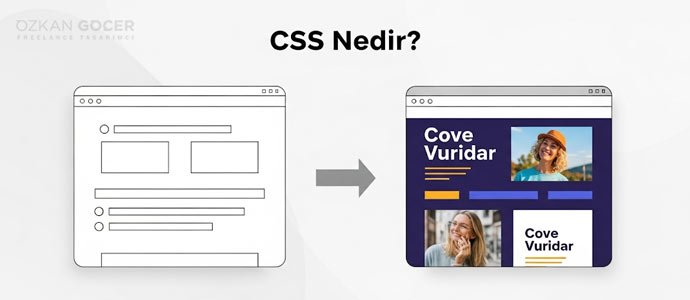
What does it do? A page built with HTML looks plain and unstyled without CSS; like just black text on a white background. When CSS comes in, the page "gets dressed": headings get color, sections line up side by side, buttons take shape and spacing is arranged. In short, CSS is the technology that makes a website look aesthetic and tidy; if HTML is "what it says", CSS is responsible for "how it looks".
HTML, CSS and JavaScript: The Three Foundations of the Web
Three technologies form the foundation of web pages and are explained with a common analogy: think of a human. HTML is the skeleton and organs, that is, the page's structure and content (heading, paragraph, image, link). JavaScript is the muscles and motion, that is, behavior (something happening when you click a button).
CSS in this trio is the clothing and look: colors, fonts, layout and spacing. A web page is formed by the three working together; HTML builds the skeleton, CSS beautifies, JavaScript adds functionality. Learning CSS means mastering the visual leg of this trio, and it is the heart of web design.
The Difference Between HTML and CSS
The two work together but do different jobs. HTML (HyperText Markup Language) defines the page's structure and content: it says "there is a heading here", "there is a paragraph here"; that is, it builds the skeleton and what is where. CSS, on the other hand, defines how that content looks: what color and size the heading should be, how much spacing between paragraphs, how sections line up.
In short, HTML is the answer to "what" and CSS to "how it looks". The logic of separating them is this: when content (HTML) and design (CSS) are kept apart, you do not have to touch the content to change the look; you can update the whole site's look by changing a single CSS file. Separating content and design is one of the basic principles of modern web development.
Is CSS a Programming Language? (Is It the Same as C++?)
No, CSS is not a programming language and has nothing to do with C++; only their names share the letter "C". CSS is a style sheet language: you write rules to define the look, but it does not do logic, loops or calculations like programming languages.
C++, on the other hand, is a full-fledged, powerful programming language; it is used to write games, operating systems and high-performance applications, and it contains logic and algorithms. So CSS and C++ serve completely different purposes and are not even in the same category. You do not need to know programming to learn CSS; together with HTML, it is one of the easiest learned foundations of the web.
How Is CSS Used? (Inline, Internal, External)
There are three ways to add CSS to a web page. In the inline method you write the style directly inside the HTML tag; it is practical for quickly styling a single element but the code gets messy when overused. In the internal method you write the styles in a block in the page's head section; it suits single-page projects.
In the external method you write the styles in a separate .css file and link it to the HTML; this is the most recommended, because with a single file you manage the look of dozens of pages from one place. CSS's working logic rests on the trio of "selector, property and value": you state which element, which property, to which value. If you want a ready toolkit, CSS frameworks like Bootstrap speed this up.
What Can You Do with CSS?
CSS lets you control every visual aspect of a web page.
- Color and type: text and background colors, font, size, alignment.
- Layout: lining elements up side by side or stacked; complex arrangements with Flexbox and Grid in modern CSS.
- Spacing and box: margin, padding, border, corner rounding.
- Responsive design: the page looking different on phone, tablet and desktop via media queries.
- Animation and effects: hover effects, smooth transitions, shadow and gradient.
In short, everything that makes a site look attractive and usable is done with CSS. Modern CSS is quite powerful; many visual jobs that once needed JavaScript can now be done with CSS alone, and the web.dev CSS guide shows the current practices.
A Basic CSS Example and How to Learn It
CSS's logic becomes clear with an example: the rule "h1 { color: blue; font-size: 32px; }" makes all h1 headings on the page blue and sets the font size to 32 pixels. Here "h1" is the selector, "color" and "font-size" are properties, and "blue" and "32px" are values; all of CSS is a repetition of this simple pattern.
CSS is one of the easiest learned foundations of the web; it is learned together with HTML, without knowing programming. First learn the basic properties (color, type, spacing), then Flexbox and Grid for layout, then media queries for responsive. Most importantly, learn by writing rather than watching; try styling a simple page yourself. Among free resources, MDN Web Docs, W3Schools and freeCodeCamp lead the way; for a web design career, you can also see my becoming a web designer article.