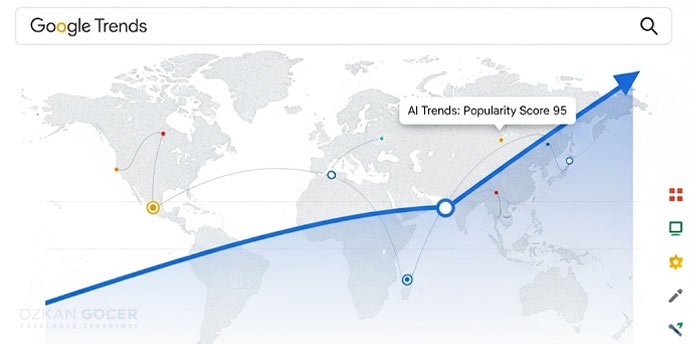
What Is Google Trends, What Is It For?
Google Trends is an analysis tool offered free by Google that shows how much a word or topic is searched on Google over time. It lets you see whether a term's popularity is rising or falling, in which regions it is searched more, and other searches related to it.
What is it for? It is used to track whether interest in a topic is rising or falling, to find current topics and the right words for content and SEO, to spot seasonal swings (air conditioners are searched in summer, coats in winter), to compare two terms, and to research in-demand products in e-commerce. Its biggest strength is that it rests on real search behavior; that is, it shows what people actually search for. As a Growth Engineer, I usually open my content plan with Google Trends.
How to Use Google Trends (Step by Step)
Using Google Trends is simple and requires no account or payment. The main logic is to type a term, read the graph, and narrow the context with filters; you can also find a detailed guide on Google's help page.
Searching a Single Term
Go to trends.google.com and type the word you want to examine in the search box; the interest graph of that term over time appears. By scrolling down, you can also see the regional distribution and related searches.
Comparing Terms
To compare more than one term, add a second and third term with the "Compare" option; you see them side by side on the graph. For example, you can compare which of "running shoes" and "sports shoes" is more popular.
Region, Time and Category Filters
With the filters at the top of the page, set the region (Turkey or a city), time range (last 7 days, 12 months, 5 years), category (shopping, health) and search type (web, image, YouTube, news). Seeing the same term's behavior in different contexts is very valuable.
Reading Google Trends Data Correctly (What Does 0-100 Mean?)
Understanding one point correctly is the key to using Google Trends correctly: the tool does not give you absolute search counts (for example "50,000 searches a month"). Instead, it gives a relative popularity score between 0 and 100. Here, 100 represents the moment of highest interest in the period and region you chose; all other values are scaled relative to it.
For example, a 50 on the graph means half the intensity relative to the busiest moment. So Google Trends answers not "how many people searched" but "how did interest change over time and which term is more popular than the other". For absolute volume, separate tools like the Google Keyword Planner are needed; for very low-volume terms the data can be scarce and unreliable. Knowing the logic prevents misinterpreting the data.
Related Queries and Rising Searches
The most valuable yet little-used feature of Google Trends is the "related queries" and "related topics" sections that appear at the bottom when you search a term. It shows other searches made together with the term you examine and presents them in two forms: "top" (the most popular searches related to that term) and "rising" (queries whose interest has grown fast recently).
Right here, the rising section is worth gold: it shows you the newly emerging, fast-growing subtopics in a subject before competition forms. It offers content creators a chance to catch the trend early, SEO a chance to add the queries people search together to content, and marketing a chance to act early. Queries labeled "breakout" point to terms whose interest has risen strikingly. Examining these sections regularly is the practical way to notice trends before everyone else.
Using Google Trends for SEO and Content
Google Trends is a free and useful discovery tool for SEO and content strategy. The main ways to use it are as follows:
- Topic selection: see whether interest in a topic is rising or falling and invest in rising topics.
- Word comparison: compare which of the words expressing the same thing is more popular.
- Related queries: collect the subtopics to add to your content from here.
- Seasonality: publish content according to the search peak.
- Regional targeting: see in which city it is searched more and build a local strategy.
An important point: because Google Trends does not give absolute volume, using it together with tools that give volume, not alone, is best; Trends gives direction and comparison, the other tools give exact volume. I covered detailed methods in my keyword research article; the same work is the first step of increasing organic traffic.
E-Commerce, Seasonality and Product Research
For those in e-commerce, Google Trends is a practical way to read demand. You can see whether the search interest in a product you plan to sell is rising, flat or falling; you can treat rising products as an opportunity and falling ones as risky.
Many products are seasonal (summer, winter, holidays, school season); Trends shows when a product peaks during the year, so you adjust stock and campaign timing. Comparing two products, seeing in which city it is searched more to build a shipping and ad strategy, and discovering trending products early from the "rising" section are also possible. Still, remember: Trends shows relative interest, not a guaranteed sales figure; making the decision together with other market data is healthiest.
Trending Searches and the Most Searched in Turkey
Google Trends offers special sections for seeing instant and periodic popular searches. In the "trending searches" section you see current topics that suddenly became popular that day or period and that many people searched; these are usually linked to news, events and current affairs.
By selecting Turkey as the region you can see the agenda in our country, and by selecting worldwide you can see global trends. Google also publishes "Year in Search" lists at the end of each year; by setting the search type to YouTube you can also examine terms' interest on YouTube. The sections are both a source of ideas for content creators and an answer to "what is on the agenda, what are people interested in"; for inspiration, Think with Google is a good source too. Because trending searches change very fast, daily tracking is valuable for those producing current content. I also explained the logic of search engines in my Google algorithm article.