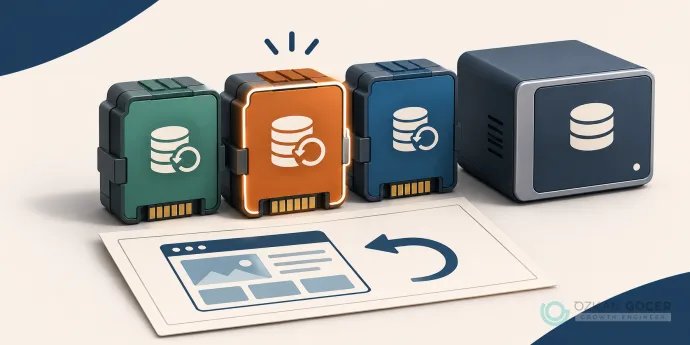
A scheduled database-and-file backup can be a starting point for a small blog. For a store receiving orders throughout the day, the records created since the last backup become central to the decision. Establish how much recent work you can afford to lose and who owns recovery before choosing a single “best” plugin.
Four options for different recovery needs
Scroll sideways to read every column. Keyboard: focus the table and use the arrow keys.
| Option | Reason to consider it | Evidence in this review |
|---|---|---|
| UpdraftPlus | Component-based backup and restoration | Local engine test of free edition |
| WPvivid | File-and-database backup and restoration | Local engine test of free edition |
| Duplicator | Packaged migration and installation | Official feature research; not tested |
| Jetpack VaultPress Backup | Paid managed cloud and real-time approach | Official feature research; not tested |
The first two products have local test findings below. Duplicator and Jetpack are included through official feature research; we did not run restore tests with them in this review. A free plugin also does not make its external storage account free or unlimited.
UpdraftPlus: separate backup components
The UpdraftPlus free-versus-premium comparison lists manual and scheduled backups, restoration and supported remote destinations in the free edition. Check the appropriate edition for incremental backups, more detailed scheduling or additional destinations. Older claims that the free edition offers no migration route should also be revisited: migration through backup and restoration is available.
Our backup produced separate archives for the database, plugins, themes, uploads and other content. Keep the required components from the same set together. Do not assume a standard content backup includes WordPress core, server configuration and every root file. The backup instructions provide a starting point for checking the selected components.
WPvivid: backing up files and the database together
The official WPvivid listing includes backup, restoration and several remote storage connections in the free edition. Incremental backups and some advanced controls belong to other editions. Finding a cloud provider on the supported list is different from verifying a completed copy in your account.
In our local trial, we restored the file-and-database archive into another installation. The restore process also adjusted the local destination address. This does not establish that every custom plugin record will migrate correctly on every domain change. Check menus, embedded addresses and custom tables in your own recovery trial.
Where do Duplicator and Jetpack fit?
Duplicator belongs on a shortlist when packaging and installing a site elsewhere is a priority. Migration is different from an ongoing recovery plan: check the selected edition's scheduling, remote storage and recovery features. We do not report tested speeds, size limits or success rates for Duplicator here.
Jetpack VaultPress Backup is a paid option for evaluating managed cloud storage and real-time backups. Check retention, capacity and recovery access before purchasing. The approach can be relevant to a frequently changing store, but this review does not establish tested order preservation.
Compare more than the introductory price. Record site allowances, renewal costs, storage charges and any additional recovery support. Ask which downloadable files you retain if the subscription ends.
What we actually tested with two free plugins
On 19 November 2026, we prepared two local WordPress fixtures with matching content: Turkish and English posts, a separate page, an uploaded image and a custom theme. The plugins were UpdraftPlus 1.26.16 and WPvivid 0.9.140. The fixed fixture used WordPress 7.1.3, PHP 8.2.12 and MariaDB 10.4.32; this version list is not a recommended production stack.
We invoked each plugin's own backup and restore engine from a PHP test harness, restoring into blank, separate WordPress installations and databases. This was not a dashboard usability or click-speed test. It also does not imply that UpdraftPlus's paid WP-CLI feature is included in the free edition.
Scroll sideways to read every column. Keyboard: focus the table and use the arrow keys.
| Check | UpdraftPlus 1.26.16 | WPvivid 0.9.140 |
|---|---|---|
| Posts in two languages + page | Recovered | Recovered |
| Uploaded image + custom theme | Matching file SHA-256 | Matching file SHA-256 |
| New local address | Adjusted separately | Adjusted by the used engine |
| Final checks | 14 / 14 passed | 14 / 14 passed |
Each product passed 14 checks. These covered both language posts, the page, SHA-256 matches for the image and theme, active theme, site title and description, address, database isolation, search-visibility setting, HTTP response and served content/image. “28 passed checks” means neither 28 different sites nor 28 failure scenarios.
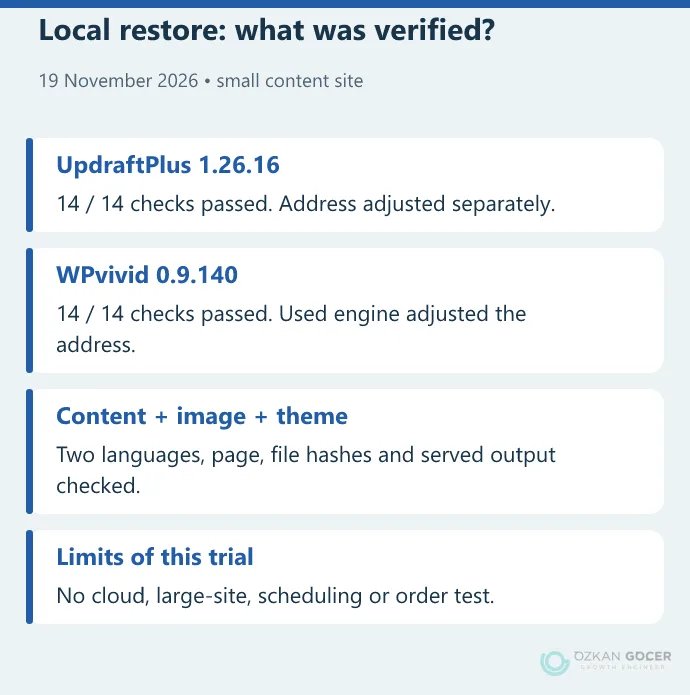
After UpdraftPlus restoration, we separately replaced the original local address with the destination address using a serialization-aware operation. The WPvivid restore engine used here adjusted the address itself. This is not a ranking of their normal dashboard migration wizards.
Limits: We did not test cloud transfer, scheduling, large archives, interrupted connections, payments, email or WooCommerce orders. Archive scope also differed; a smaller file cannot establish better compression or speed in this comparison. The result shows that this small content set was recovered.
Settings to decide after installation
- Coverage: Does the backup include the database and required files? Have uploads, the theme or custom plugin files been excluded?
- Frequency: What would be lost between the last backup and now? A weekly publishing schedule and a store taking orders all day need different decisions.
- Retention: Can you go back before a problem was noticed, rather than recover only the latest copy? What happens when storage fills up?
- Independent copy: Can you keep a copy somewhere accessible outside the website account? Verify the actual file after transfer completes.
- Notifications: Who will know when a job fails? Check that the intended person receives the notification during a trial.
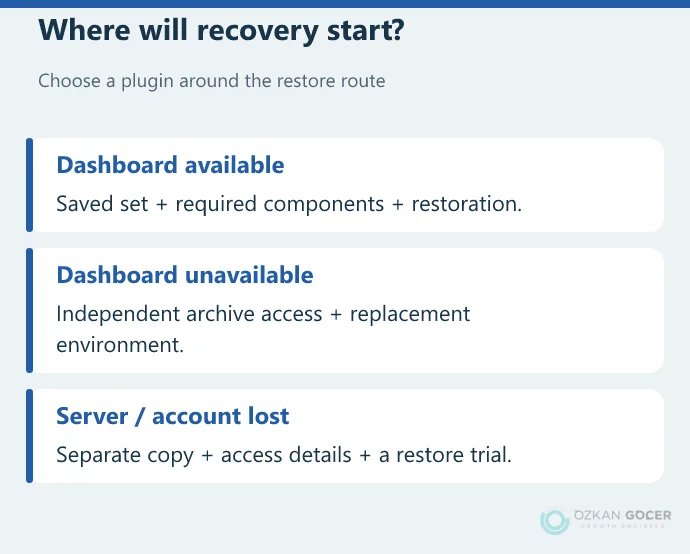
- Recovery access: Who can reach storage and required keys when WordPress is unavailable? Do not keep those details solely inside the same site.
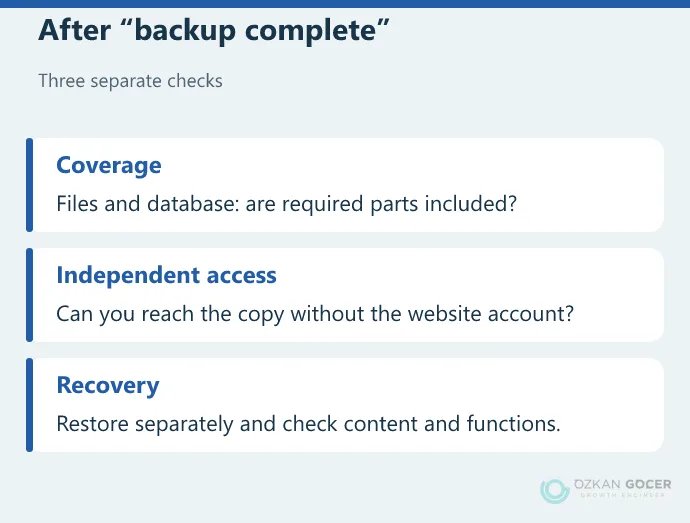
An archive on the site's own disk can help undo certain mistakes, but it is not an independent copy against disk or account loss. Do not assume what your hosting backup includes. The access, retention and recovery questions in our hosting selection guide apply here too.
Preparing for a dashboard that will not open
First verify access to the backup files independently of WordPress. Record the installation, archive import and database access needed on a replacement or repaired environment. Our WordPress file-and-database restore guide covers the recovery steps; choosing a plugin does not replace that procedure.
Do the first restore away from the live site. Open posts, pages, menus and images on the test copy. Prevent forms, email and payment integrations from producing real transactions while testing those flows separately. Protect the copy with access restrictions: noindex alone does not conceal private data.
What changes for WooCommerce and busy sites?
Restoring yesterday's full backup can overwrite orders and account changes created since then. Whether daily backups are sufficient depends on what that loss would mean to the business. Evaluate more frequent or real-time approaches alongside database consistency, orders and payment-provider records.
When bringing a staging copy back to production, avoid overwriting newer records with its older database. Plan recovery with someone who understands the application. A marketing claim of WooCommerce support is not evidence that order and payment reconciliation has been tested on your store.
Which should you try first?
For a small content site, a separate restore trial with free UpdraftPlus or WPvivid is a reasonable starting point. Consider Duplicator's packaging approach when migration comes first, and Jetpack's conditions when managed cloud and frequent records matter. Let recoverable files and clear ownership of the task settle the choice.
If you need to coordinate WordPress upkeep, backups and a redesign, we can plan the website work around your existing installation. Knowing where the backup lives and when it was last restored gives that discussion a useful starting point.