WHAT IS WORDPRESS AND WHAT IS IT ACTUALLY FOR? A 2026 GUİDE

What Is WordPress and What Is It Actually For? A 2026 Guide

WordPress is an open-source content management system that lets you run a website's content without writing code. Because it has been the most common infrastructure on the web for years, most of what is written about it repeats itself and is out of date on two points: the market-share figure and the security picture. Below we cover where WordPress actually stands in 2026, the critical difference between WordPress.com and WordPress.org, a data-driven view of plugin security, the AI layer that entered core, an honest cost range, and who it does and does not suit. For a step-by-step installation walkthrough see our guide on how to set up a website; the focus here is on the decisions you make before installing.

What Is WordPress and Where Does It Stand in 2026?

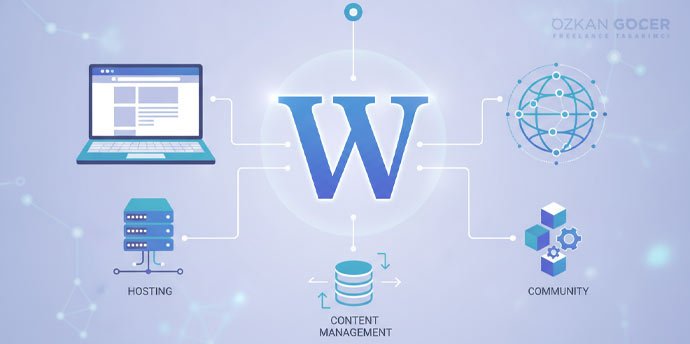
WordPress is a content management system (CMS): you edit posts, pages, images and menus from an admin panel, and the system serves them to visitors as HTML. Being open source and distributed under the GPL means you can use the software for free and move it to any server you like. The widely repeated 43% market-share figure, however, is out of date. According to W3Techs data as of 22 July 2026, WordPress is used by 41.2% of all websites and by 59.1% of sites whose content management system is known. So WordPress is still the clear leader, though its share has slipped somewhat over the past year. The right reading when deciding is this: ubiquity means a vast plugin and theme ecosystem and developers who are easy to find, but ubiquity alone does not prove it is the right tool for your project.

WordPress.com Versus WordPress.org

This is what beginners most often confuse, and the two are different things. WordPress.org is the free open-source software you install on your own server; you pay for the domain and hosting, and in return you have full control over the files, the database and the code. WordPress.com is the commercial platform operated by Automattic that offers the same software as a hosted service; you avoid server management, but what you can install depends on your plan. One detail changed in 2026 that most guides still get wrong: installing plugins is no longer exclusive to the Business plan. In the words of the WordPress.com support page, installing plugins is available on all paid plans, namely Personal, Premium, Business and Commerce, and is not available on the free plan. The practical rule is clear: if you want to publish content and avoid technical overhead, WordPress.com is enough; if you want to choose your own plugins, your own theme and your own server, and to keep the data entirely in your hands, WordPress.org is the choice. For a commercial project the second is almost always right.

What Kinds of Sites Can You Build?

WordPress was born as blogging software, but today it powers corporate brochure sites, news and content sites, portfolios, membership and course sites, booking systems and online stores. On the ecommerce side the job passes to the WooCommerce plugin, and we compared that choice against Shopify in a separate article. The system's real strength is content production and publishing workflow: categories, tags, multiple authors, revision history and scheduled publishing come out of the box. Where it is weak is applications requiring very specific business logic; for projects that need complex calculation, heavy real-time processing or a non-standard data model, custom software beats forcing WordPress into the role. In short, WordPress is strong as a content and storefront platform and limited as an application framework.

Themes, Plugins and the Block Editor

WordPress's flexibility comes from two layers: themes that set the appearance and plugins that add functionality. When choosing a theme, look at maintenance quality rather than looks, because a theme that is not updated regularly becomes both a security and a compatibility problem over time. With plugins the rule is discipline rather than quantity: every plugin means new code, new queries and new update burden, so install nothing you do not genuinely need and delete what you no longer use rather than merely deactivating it. On the editing side the system is now block-based: text, images and layout elements are added as blocks, and in block themes the whole site including header and footer can be edited from the same interface. The move to blocks has helped performance too; WordPress 6.9, released on 2 December 2025, announced a marked improvement in first contentful paint on block themes. Even so, the basic rule holds: slowness usually comes not from the software itself but from a bloated stack of themes and plugins.

The Security Truth: Core Is Not the Problem, Plugins Are

The evidence-based answer to whether WordPress is secure starts with knowing where the fault lies. According to Patchstack's 2026 WordPress security report, 11,334 new vulnerabilities were found in the ecosystem during 2025, a 42% increase on the previous year. The distribution is what matters: 91% were in plugins and 9% in themes, while only 6 were reported in WordPress core, all of them low priority. In other words WordPress itself is not fragile; the risk comes from third-party code. The most counterintuitive finding in the report concerns paid plugins: 76% of the vulnerabilities found in premium components were exploitable, and the number of known exploited vulnerabilities in them was three times higher than in free alternatives. Paying for something does not buy security. Another critical data point is that 46% of vulnerabilities had no patch available at the time of disclosure, so updating alone is not a sufficient strategy. The practical checklist is this: keep the number of plugins to a minimum, delete what you do not use, turn on automatic updates, use two-factor authentication on administrator accounts, take regular backups stored away from the server, and add a firewall layer. Your choice of hosting is part of security too, because server-side isolation and backup policy affect you directly.

WordPress 7.0 and the AI Layer in Core

The most important development of 2026 is on the release side. WordPress 7.0 Armstrong was released on 20 May 2026, and in the words of the official announcement a new AI Client in core lets WordPress communicate with generative AI models, with connections managed from a single hub in the dashboard. According to the announcement, the AI Client combined with the Abilities API is intended to bring new functionality, workflow automation and creation tools to your site. The release also includes a modernised dashboard, new content blocks and expanded developer APIs, and the announcement credits more than 875 contributors and over 420 enhancements and fixes. The practical meaning is that AI integration is shifting from something every site solves with a separate plugin into a standard infrastructure layer. Because plugin compatibility issues can appear in the first weeks of any new release, it is wise to test the update on a staging copy first and to take a backup beforehand.

Governance Risk: The Automattic and WP Engine Dispute

If you are making a long-term investment in WordPress, there is something you should know that almost never appears in Turkish sources. In September 2024 a dispute over trademark use and contribution fees between WordPress co-founder Matt Mullenweg and Automattic on one side and the hosting company WP Engine on the other went to court, and WP Engine's access to WordPress.org resources was cut off. According to the court docket, in December 2024 the court issued a preliminary injunction requiring Automattic to restore WP Engine's access. The matter is not resolved as of July 2026; settlement attempts between the parties have not succeeded and a jury trial is scheduled for 2027. Let us state what it means for you without exaggeration: no direct threat emerged for someone running a personal or corporate WordPress site, because the software is GPL licensed, your content sits in your own database, and you can export it and move to another server whenever you wish. What the episode did make visible is that the WordPress.org infrastructure through which updates and plugins are distributed sits under the control of a single company, which carries a concentration risk. The right reflex is not panic but preserving portability: keep backups independent of the server, limit dependence on any single provider for critical plugins, and regularly confirm that you can export your content.

What Does WordPress Really Cost?

The software being free does not make the site free, and costs fall into three lines. The first is the domain, the second is hosting, and the third is theme and plugin spending. On domains and hosting, prices vary by provider, package type and exchange rate, so quoting a single exact figure would mislead; for a current comparison and selection criteria see our review of hosting companies, and the general cost table is in our website setup guide. The invisible line item is the most critical one: maintenance. Updates, backups, security monitoring and possible compatibility issues take regular effort, so you either set aside that time yourself or buy a maintenance service. Starting with free themes and plugins and moving to paid ones as needs arise is the healthiest approach for most projects. When budgeting, calculate not the setup cost but the total cost of ownership for the first year.

Speed and SEO: What Actually Slows WordPress Down?

WordPress is not slow out of the box; what typically slows a site down is unoptimised large images, too many plugins, heavy page builders and inadequate servers. On measurement, Google's user-experience metrics are decisive and we covered their thresholds in a separate article, so before you start optimising, see where your site stands on real user data. On search, WordPress comfortably handles needs such as clean URL structures, title and meta management, sitemap generation and structured data support through plugins, but what determines ranking is content quality and technical health rather than the platform. The often-heard claim that WordPress is automatically SEO friendly is wrong: WordPress makes it easy to build a good technical SEO foundation, it does not do the work for you. Caching, image compression and good hosting are the three interventions that deliver the biggest speed gains on most sites.

Who Is It For, and Who Is It Not For?

WordPress is a strong choice for projects that publish content regularly, want to retain ownership of the site, and will grow and need customisation over time. Corporate brochure sites, blogs and news sites, service businesses and mid-sized ecommerce all fit that description. By contrast, for someone who wants a simple one-page presence and never wants to deal with updates and maintenance, a hosted site builder may be less tiring; likewise, custom software is the better answer for applications with non-standard business logic. Ask yourself three questions when deciding: who will update the content and how often, who will carry responsibility for maintenance and security, and will the customisation you need in two years be possible on today's platform. If the answers are not clear, or if you want to launch with a corporate identity, getting professional web design support gives you a structure built correctly from the start and costs less in the long run.

FAQ

Frequently Asked Questions

Quick answers for readers who skipped to the end.

What is WordPress and what is it used for?
WordPress is an open-source content management system that lets you run a website's content without writing code. You edit posts, pages, images and menus from an admin panel, and the system serves them to visitors as web pages. It is used for many project types including blogs, corporate brochure sites, news sites, portfolios, membership sites and online stores. Because it is open source and distributed under the GPL, you can use the software for free and move it to any server you like.
Does WordPress still power 43% of the web?
No, the 43% figure is out of date. According to W3Techs data as of 22 July 2026, WordPress is used by 41.2% of all websites, and its share among sites with a known content management system is 59.1%. So WordPress is still by far the most widespread CMS, though its share has slipped somewhat over the past year. Ubiquity means a large plugin ecosystem and developers who are easy to find, but on its own it does not prove it is the right tool for your project.
What is the difference between WordPress.com and WordPress.org?
WordPress.org is the free open-source software you install on your own server; you pay for domain and hosting, and in return you have full control over files, database and code. WordPress.com is the commercial platform operated by Automattic offering the same software as a hosted service; you avoid server management, but what you can install depends on your plan. If you want to publish content and avoid technical overhead, WordPress.com is enough. If you want to choose your own plugins, theme and server and keep the data entirely in your hands, WordPress.org is the right choice.
Which WordPress.com plan do I need to install plugins?
Installing plugins is no longer exclusive to the Business plan. In the words of the WordPress.com support page, installing plugins is available on all paid plans, namely Personal, Premium, Business and Commerce, and is not available on the free plan. For many years it was true that plugin installation required the Business plan, so older guides can be misleading on this point. It is worth confirming the current plan features on the official support page before deciding.
Is WordPress really free?
The software itself is free and distributed under the GPL, but keeping a site online has costs. At least two line items are unavoidable: the domain and hosting. The third is theme and plugin spending; starting with free options and moving to paid ones as needs arise is a healthy approach for most projects. The fourth item most people overlook is maintenance: updates, backups and security monitoring require either your time or a purchased service. When budgeting, calculate the total cost of ownership for the first year rather than the setup cost.
Is WordPress secure?
WordPress core is secure; the risk comes from third-party code. According to Patchstack's 2026 security report, 11,334 new vulnerabilities were found in the ecosystem during 2025, of which 91% were in plugins and 9% in themes, while only 6 were reported in WordPress core and all were low priority. A security strategy should therefore focus on plugin discipline rather than on core. Keeping plugin count to a minimum, deleting what you do not use, enabling automatic updates, using two-factor authentication on administrator accounts and taking backups stored away from the server are the most effective measures.
Are paid plugins safer than free ones?
The data suggests otherwise. According to Patchstack's 2026 report, 76% of the vulnerabilities found in premium components were exploitable, and the number of known exploited vulnerabilities in them was three times higher than in free alternatives. Paying does not by itself deliver security. When evaluating a plugin, look not at the price but at update frequency, active install count, how quickly the developer responds to vulnerability reports, and compatibility with the current release.
Is updating plugins enough to stay safe?
It is not enough, because updates do not always arrive in time. According to Patchstack's 2026 report, 46% of vulnerabilities had no patch available at the time of disclosure, meaning that when a flaw becomes public there may be no update for you to install. A layered approach is therefore needed: alongside updates, use a firewall layer, restrict administrator access, apply two-factor authentication and take regular backups. Keeping the backup somewhere independent of the server is the only reliable way to restore the site in a worst-case scenario.
What changed with WordPress 7.0?
WordPress 7.0 Armstrong was released on 20 May 2026, and its most notable change was AI entering core. In the words of the official announcement, the new AI Client in core lets WordPress communicate with generative AI models, with connections managed from a single hub in the dashboard, and together with the Abilities API it aims to bring new functionality and workflow automation. The release also includes a modernised dashboard, new content blocks and expanded developer APIs. Because plugin compatibility issues can appear with new releases, it is wise to test the update on a staging copy first and take a backup beforehand.
Does the Automattic and WP Engine dispute affect my site?
If you run a personal or corporate WordPress site, no direct threat emerged. The software is GPL licensed, your content sits in your own database, and you can export it and move to another server whenever you wish. The dispute began in September 2024; according to the court docket, in December 2024 the court required Automattic to restore WP Engine's access to WordPress.org, and the matter was unresolved as of July 2026, with a jury trial scheduled for 2027. What the episode shows is that the infrastructure distributing updates and plugins sits under a single company's control, which carries a concentration risk. The right reflex is to keep backups independent of the server and preserve portability.
Is WordPress good for SEO?
WordPress makes it easy to build a good technical foundation, but it does not deliver rankings by itself. Needs such as clean URL structures, title and meta management, sitemap generation and structured data support are comfortably handled through plugins. What determines ranking, however, is content quality, match with search intent and technical health rather than the platform. The often-heard claim that WordPress is automatically SEO friendly is wrong; WordPress makes the work easier, it does not do it for you.
Why is my WordPress site slow?
WordPress is not slow out of the box; the typical causes of slowness are unoptimised large images, too many plugins, heavy page builders and inadequate servers. Three interventions usually deliver the biggest gains: setting up caching, compressing images and serving them in modern formats, and moving to an adequate hosting package. Before you start optimising, measure where your site stands on real user data, because optimising on guesswork usually spends effort in the wrong place.
How many plugins is it safe to install?
There is no fixed number, because what matters is quality and maintenance rather than count. Twenty well-written, regularly updated plugins can be safer than five abandoned ones. Even so, since every plugin brings new code, new database queries and new update burden, do not install anything you do not genuinely need. Deactivating unused plugins is not enough, because their files remain on the server, so delete them entirely. If several plugins do the same job, consolidating into one improves both speed and security.
Is WordPress hard to learn and how long does it take?
For basic use the learning curve is low: adding posts and pages, uploading images, editing menus and working with the block editor can be picked up with a few hours of experimentation. Topics such as theme and plugin management, backups and security need a settling-in period spread over a few weeks. The part that really takes time is maintaining the site, which demands continuity more than learning. Because it varies by person and project, quoting an exact duration would be wrong; the most reliable way is to measure your own pace by working on a real project.
Should I choose WordPress or a website builder?
The decision depends on how much ownership and maintenance you want. If you want a simple one-page presence and never want to deal with updates and maintenance, a hosted site builder may be less tiring. For projects that will publish content regularly, want to retain ownership and will need customisation over time, WordPress is stronger because you can move both the data and the code. Answer three questions when deciding: who will update the content and how often, who will carry responsibility for maintenance and security, and will the customisation you need in two years be possible on today's platform.
What are the disadvantages of WordPress?
The clearest disadvantage is that maintenance responsibility is yours: updates, backups and security monitoring take regular effort. The second is dependence on third-party code, since the vast majority of vulnerabilities come from plugins and themes, and a plugin you rely on may be abandoned by its developer. The third is performance discipline: uncontrolled plugins and heavy page builders slow the site down. In addition, for applications requiring very specific business logic, custom software is a better answer than forcing WordPress into the role.
Summarize:
Özkan Göçer profile photo

Özkan Göçer

Growth Engineer & Digital Marketing Specialist

Özkan Göçer is a Growth Engineer and Digital Marketing Specialist with over 15 years of field experience and 200+ completed projects. With a background in Advertising and Web Design, he authored this guide based on modern W3C standards and UI/UX principles.


Scroll to top